Digital Survival Kit · Arrival
China Travel 2026: First Hour App Setup (VPN, Alipay, DiDi & eSIM)
Landing at PVG or PEK without data, payments, and maps is a sixty-minute crisis. The first hour between wheels-down and the curb is when you activate eSIM, test VPN, confirm Alipay’s Pay code, and preload DiDi—not when you fight airport Wi-Fi SMS walls.
Bottom line: Install VPN, Alipay/WeChat Pay, travel eSIM, DiDi, and a China-capable map app before you fly. On arrival: cellular data first, skip airport Wi-Fi, run wallet and VPN checks in the immigration queue, then set pickup and hotel address at baggage claim.
Policy note: Visa-free and transit rules expand in 2026 but vary by nationality. Confirm eligibility before non-refundable bookings. Hub: 240-hour visa-free transit guide.
Essential apps for your first hour (2026)
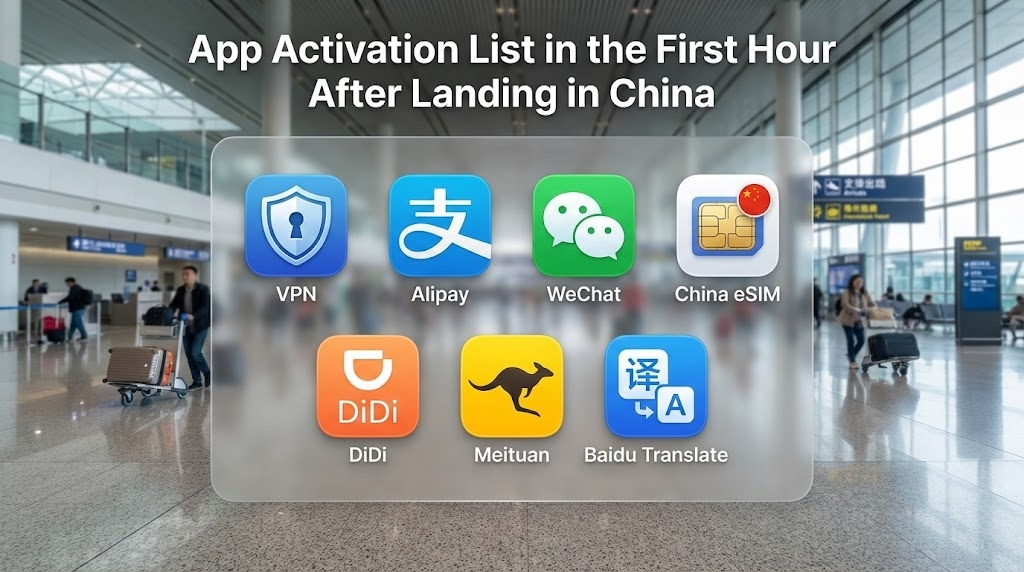
Activate these before you leave the terminal:
- VPN: Gmail, WhatsApp, Instagram on filtered networks.
- Alipay / WeChat Pay: Metro, snacks, and most street payments.
- China eSIM: Data without airport Wi-Fi SMS traps.
- DiDi: English ride-hail with in-app chat translation.
- Amap or Apple Maps: Accurate positioning on mainland map data.
- Meituan: Food delivery and local services from day one.
Baidu Translate tends to handle local Chinese dialects and technical signage slightly more accurately than some Western alternatives within the mainland.
The cost of winging it
- ATM reject: Airport ATMs often time out on foreign debit cards.
- Payment freeze: Home banks flag first China charges as fraud.
- Taxi refusal: Drivers may lack change; most want QR pay, not mag-stripe.
- Map blackout: Google Maps loads but shows the wrong GPS location, leaving you lost in the terminal.

Your first priority is a data bridge before you leave the aircraft. Full eSIM walkthrough: activate eSIM for China on iPhone.
Phase 1: Tarmac to gate
Step 1: Connection handshake
Disable Airplane Mode before you stand up. If you installed a travel eSIM before departure, switch your cellular data line to that plan.
Roaming trap: Home-carrier international passes often work but can be slow or expensive—treat as backup, not primary.
Step 2: Skip “free airport Wi-Fi”
Public airport Wi-Fi usually demands a mobile number + SMS code. Without a Chinese SIM, international numbers often never receive the text. Use eSIM data; do not burn twenty minutes on captive portals while immigration lines grow.
Step 3: Pulse check
At 40%+ battery (or on a power bank), open a blocked app like Gmail. If it loads on eSIM alone, roaming may already bypass the firewall. If not, move to VPN in Phase 2. Deeper read: Great Firewall: VPN vs eSIM.
Phase 2: Immigration queue
You often have 30–60 minutes in line—use it for finance and tunnel checks, not doom-scrolling.
Step 1: Tunnel test
If Western apps still fail on cellular, launch your VPN. Stuck on “Connecting”? Switch to stealth/camouflage or WireGuard-style modes per your provider.
Legal context: is VPN illegal in China for tourists?
Step 2: Wallet heartbeat
Open Alipay or WeChat Pay. Confirm your Visa/Mastercard is still bound. Sudden location changes can trigger risk control (extra verification).
Fix: Open your home banking app (while VPN works) and confirm China travel notices are active.
The test: You cannot easily test a payment in the queue, but you can generate your payment QR code. If the app allows you to display the “Pay” code without popping up a “Verify Identity” error, you are 90% clear.
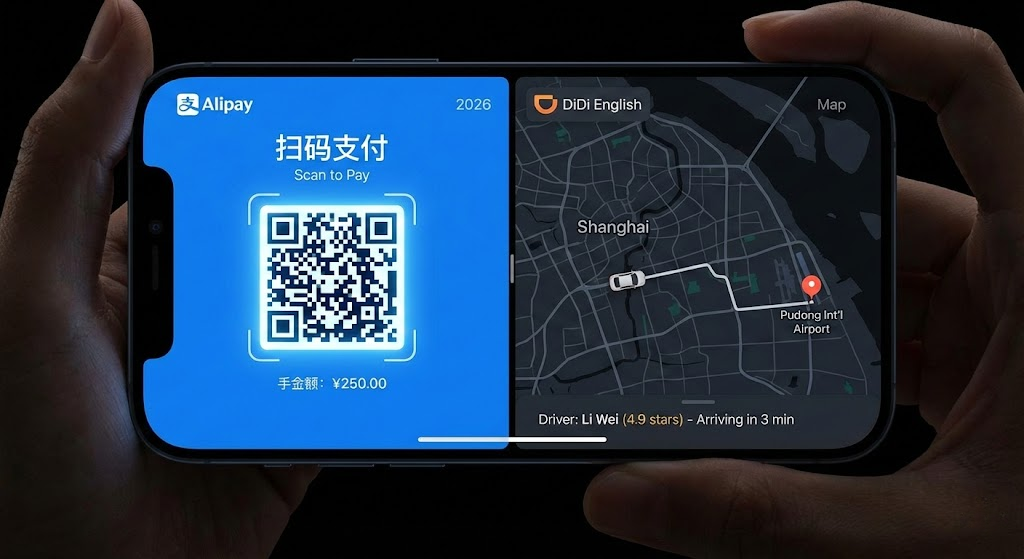
Troubleshooting: How to Use Alipay in China (2026) · payment failure checklist.
Phase 3: Baggage claim
Step 1: Navigation pivot
Stop relying on Google Maps for precise terminal positioning. Use Apple Maps (AutoNavi data on iPhone) or Amap (Gaode).
Copy the Chinese address from your hotel confirmation and favorite it now. Compare: Google Maps vs Amap in China.
Step 2: DiDi setup
Set interface to English. In Wallet, prioritize Alipay or WeChat Pay—direct foreign card inside DiDi fails more often than routing through Alipay.
PVG and PEK use separate ride-hail pickup zones, not the same line as metered taxis. Evening arrival waves (18:00–21:00) can add 30–60 minutes to taxi queues; DiDi pickup rotations often move faster.
Full guide: how foreigners grab a taxi in China.
Step 3: Battery reality
One hour of 5G search, VPN, and max brightness can drop battery 20–30%. Plug in a power bank at the belt—a dead phone kills map and Pay.
Mistakes and warnings
- Relying on airport Wi-Fi without SMS access.
- Linking DiDi directly to foreign cards instead of Alipay.
- First payment over ~200 RMB before small test charges.
- Skipping bank travel notices before departure.
- No screenshot of hotel address in Chinese.
WeChat lockout: New device + new network can trigger friend verification. No Chinese contact? Lean on Alipay—see WeChat Pay for foreigners.
As you exit baggage claim, ignore men in uniforms asking “Taxi?”. These are touts who will charge 4x the metered rate. A legitimate taxi driver in China never leaves their car to solicit passengers. Stick to the DiDi app or the official taxi queue with metal barriers.

Before departure (do this at home)
- China eSIM installed and tested.
- VPN installed and logged in at home.
- Visa/Mastercard bound in Alipay.
- DiDi downloaded; hotel address saved.
After landing
Full gear list: China travel packing list 2026. Pre-trip timeline: how to prepare for China in 2026.
FAQ
Can I install these apps after I land?
Very difficult. Google Play is blocked; App Store downloads are slow without working data/VPN. Install everything before you fly.
Does airport Wi-Fi work for foreigners?
Often no—SMS verification blocks most travelers without a Chinese number. Use eSIM data instead.
Why does WeChat Pay show risk control?
Sudden geography changes and home-bank fraud filters. Authorize travel with your bank; try a small charge; fall back to Alipay if needed.
Do I need a Chinese number for DiDi?
No for the international app—foreign mobile numbers register. Drivers reach you via in-app translated chat.
What if VPN will not connect at the airport?
Turn off Wi-Fi; use cellular only. Switch protocol to WireGuard or TCP-based OpenVPN in settings. Compare best VPNs for China.
Apple Maps or Amap in 2026?
Both work on mainland data. iPhone users often prefer Apple Maps (AutoNavi backend) without reading Chinese on Amap.