How to Set Up Alipay & WeChat Pay as a Foreigner (2026)
China is99% cashless. Without mobile payment, you can’t buy street food, take a taxi, or even enter some stores. Here’s everything you need to set up both apps before your trip.


Trip funnel
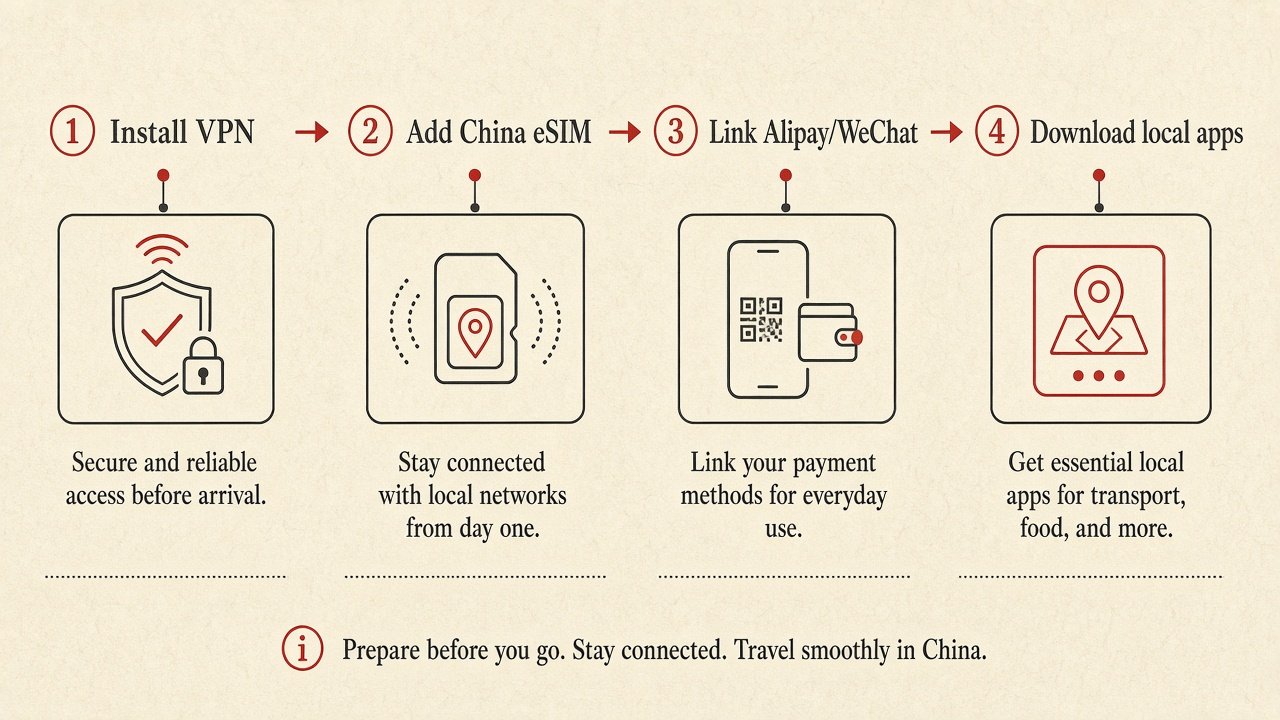
Why mobile payment is non-negotiable
China has leapfrogged credit cards entirely. Over 95% of daily transactions happen through Alipay or WeChat Pay — from five-star restaurants to street food vendors, taxis to subway tickets, even public restrooms.
As of 2026, both apps officially support foreign passport holders with international Visa, Mastercard, JCB, and Discover cards. No Chinese bank account required.
Both apps require SMS verification and identity verification with stable internet. Do this at home3+ days before your flight. Trying to set up at the airport with spotty WiFi is a nightmare. Also, Google Play may be restricted in China — download both apps before boarding.
- Valid passport
- International Visa or Mastercard
- Phone number that receives SMS
- Stable internet connection
- Latest Alipay app installed
- Latest WeChat app installed
- Bank notified of China transactions
- ¥200–500 cash as backup
Choose your setup guide
We have detailed, step-by-step guides for each app. We recommend setting up Alipay first (easier verification process), then adding WeChat Pay as your second payment method.
Alipay Setup Guide
The easiest option for foreign tourists. Direct binding of international cards with automated identity verification. Higher success rate for first-time setup.
- ✓ Automated passport verification
- ✓ Visa, MC, JCB, Discover, Diners Club
- ✓ ¥2,000/transaction, ¥50,000/year limit
- ✓ 95%+ acceptance in Tier 1 cities
- ✓ No existing user needed for verification
WeChat Pay Setup Guide
Built into China’s super-app for messaging, social media, and payments. Essential if you want to chat with locals AND pay for things. Slightly more complex setup.
- ✓ Messaging + payments in one app
- ✓ Visa, MC, JCB, Discover
- ✓ ¥6,000/transaction, ¥50,000/year limit
- ✓ Mini-programs for food, rides, hotels
- ✓ May need existing user to verify
Quick setup overview
Both apps follow a similar pattern. Here’s the high-level process:
Alipay —4 Steps
- Download Alipay from App Store / Google Play
- Register with your home phone number + SMS code
- Verify identity — upload passport photo + facial scan
- Link card — add Visa/Mastercard + set payment PIN
WeChat Pay — 5 Steps
- Download WeChat from App Store / Google Play
- Register with phone number + SMS verification
- Account verification — may need an existing WeChat user
- Enable wallet — verify real name with passport
- Link card — add Visa/Mastercard + set payment PIN
Alipay vs. WeChat Pay — which should you use?
Short answer: set up both. Some vendors only accept one or the other. But if you can only set up one, start with Alipay — it’s easier and has broader tourist support.
| Feature | Alipay | WeChat Pay |
|---|---|---|
| Setup Difficulty | Easy ⭐ | Moderate |
| Needs Existing User | No | Sometimes |
| Supported Cards | Visa, MC, JCB, Discover, Diners | Visa, MC, JCB, Discover |
| Per-Transaction Limit | ¥2,000 | ¥6,000 |
| Annual Limit | ¥50,000 | ¥50,000 |
| Tier 1 City Acceptance | 95%+ | 95%+ |
| Tier 3 City Acceptance | ~70% | ~70% |
| Messaging Built-in | No | Yes ⭐ |
| Mini-Programs | Yes | Yes (more options) ⭐ |
| Transit / NFC Support | Yes (via Apple Pay T-Union) | Limited |
| English Interface | Full English | Full English |
| Best For | Tourists, pure payments | Social + payments |
Set up both. Start with Alipay (easier, more automated verification). Then add WeChat Pay for messaging and mini-programs. Having both ensures you’re never stuck — some small vendors only accept one or the other.
Making payments work smoothly in China
Two ways to pay
Scan their code: Most common at small shops and street vendors. Open your app → tap “Scan” → point camera at the merchant’s QR code → enter amount → confirm with PIN.
Show your code: Used at larger stores and chain restaurants. Open your app → tap “Pay” → show your barcode to the cashier → they scan it → done.
Keep your phone charged — no battery = no payment. Carry a power bank at all times.
Have your payment code ready before reaching the cashier — lines move fast in China.
Call your bank before your trip — tell them you’ll be making transactions in China through Alipay/WeChat Pay.
Carry¥200–500 in cash as emergency backup for rural areas or system outages.
Apple Pay via T-Union works for metro/bus transit even without data — set this up as a backup.
Your bank may charge a 1–3% foreign transaction fee on each payment. Travel-friendly cards like Wise or Revolut offer better exchange rates. Check with your bank before your trip to avoid surprises.
Do I need a Chinese bank account to use Alipay or WeChat Pay?
No. Since2023, both apps allow foreigners to link international Visa, Mastercard, JCB, and Discover cards directly. No Chinese bank account required for tourist use.
Can I use Apple Pay or Google Pay in China?
Very limited for retail. Most merchants only accept QR-code payments via Alipay or WeChat Pay. However, Apple Pay works well for public transit — you can add a China T-Union virtual card to Apple Wallet and tap at metro turnstiles.
What if my card gets declined?
Common fixes: 1) Call your bank and authorize China-based digital transactions. 2) Enable international transactions in your banking app. 3) Try a different card — debit cards from major banks tend to work better. 4) Ensure your card has sufficient funds.
What are the spending limits for foreigners?
Alipay: ¥2,000/transaction, ¥50,000/year. WeChat Pay: ¥6,000/transaction, ¥50,000/year. For most tourist trips (1–4 weeks), this is more than enough. If you need higher limits, you can open a Chinese bank account.
Do I need a VPN to use Alipay or WeChat Pay?
No — both are Chinese apps and work perfectly without a VPN inside China. However, you DO need a VPN to access Google, WhatsApp, Instagram, and other blocked services. We recommend Surfshark from $2.19/mo.
Does mobile payment work in smaller cities and rural areas?
In Tier 1 cities (Shanghai, Beijing, Shenzhen, Guangzhou), acceptance is 95%+. In Tier 2 cities (Chengdu, Hangzhou, Xi’an), it’s 85%+. In smaller Tier 3 cities and rural areas, acceptance drops to ~70%. Always carry some cash as backup when traveling outside major cities.
Should I carry cash as well?
Yes — always carry ¥200–500 as emergency backup. Some very small vendors, rural areas, or older establishments may still prefer cash. You can exchange currency at the airport or withdraw from ATMs (look for UnionPay/Visa logos).
More from the Digital Survival Kit
Best VPNs for China
Bypass the Great Firewall and access Google, WhatsApp & more
Best eSIMs for China
Stay connected with mobile data from day one
Alipay Full Guide
Detailed step-by-step with screenshots and troubleshooting
WeChat Pay Full Guide
Complete setup including account verification workarounds
PayPal in China 2026: US App QR at Weixin Merchants (Aug Update)
Payments · PayPal World · August 2026 PayPal in China 2026: US App QR at Weixin Merchants (Aug Update) PayPal’s…
Alipay+ Foreign Wallets in China 2026: Kakao Pay, Scan QR & What Works
Payments · Alipay+ · 2026 Alipay+ Foreign Wallets in China (2026): Scan QR Without a Mainland Account Some travelers from…
PayPal + WeChat Pay in China (2026): U.S. Merchant QR Guide
Payments · 2026 PayPal at WeChat Pay merchants in China (2026): U.S. traveler guide American PayPal accounts can pay at…
Ultimate China Payment Guide for Tourists (2026): Alipay, WeChat, Cards
Payment · Pillar · 2026 How to Pay in China (2026): Alipay, WeChat Pay & US Cards Street life runs…
Alipay/WeChat Pay Not Working in China (2026): Fix It Fast (Foreigner Checklist)
Alipay/WeChat Pay Not Working in China (2026): Fix It Fast (Foreigner Checklist) Start China Travel • Fixes that actually work…
First Hour in China (2026): eSIM, VPN, Alipay & DiDi
Digital Survival Kit · Arrival China Travel 2026: First Hour App Setup (VPN, Alipay, DiDi & eSIM) Landing at PVG…