Alipay/WeChat Pay Not Working in China (2026): Fix It Fast (Foreigner Checklist)
Use this flow when your brain turns to soup from jet lag.
I’m going to save you 45 minutes of “try random things and hope.” When Alipay or WeChat Pay fails, you need two answers: what kind of failure is this, and what’s the fastest fix.
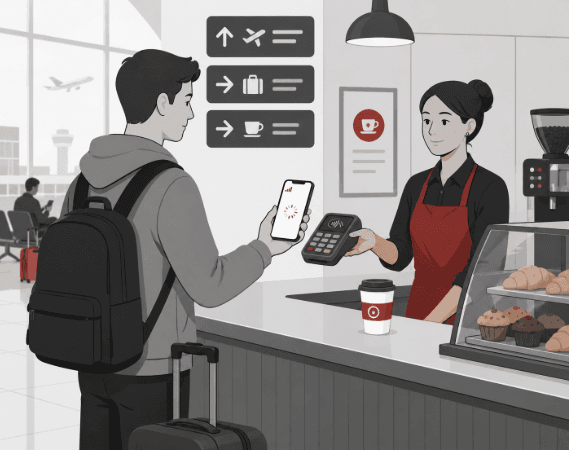
This guide is written for the ugly real-world scenario: you’re at a coffee counter, the line is behind you, the cashier is waiting, and your phone is doing that cute spinning wheel thing.
Step aside, breathe, and run the checklist. China is fast. Your troubleshooting should be faster.
The 60-second fix (try this before anything else)
This is the fastest path to a working payment in most cases. It’s boring. That’s why it works.
-
Switch Wi‑Fi ↔ mobile data Captive Wi‑Fi is the #1 invisible blocker for verification and wallet screens.
-
Force quit and reopen the app Actually swipe it away / kill the process—not just home button.
-
Try Pay and Scan People tap the wrong mode constantly. See Pay vs Scan →
-
Re-request verification code (once) Wait ~2 minutes before second request. Spamming triggers cooldowns.
-
Try a smaller amount ¥6 water before ¥600 deposit. Banks like boring first wins.
-
Try a backup card If the app loads but payment fails, suspect bank risk rules first.
Screenshot this block—or save the page. You’ll thank yourself later.
- Switch network: Wi‑Fi → mobile data (or the other way around).
- Force quit Alipay/WeChat Pay and reopen.
- Check both modes: “Pay” and “Scan.” (People click the wrong one constantly.)
- Re-request the verification code if prompted.
- Try a smaller amount (¥6 water before a ¥600 hotel deposit).
- Try a backup card if you have one.
The app loads instantly, and you can pull up a QR code (Pay) or open the camera frame (Scan) without it freezing. You don’t need to “perfect” your setup right now. You just need one payment.
Pay vs Scan: the mistake tourists make on day one
A lot of “it doesn’t work” reports are actually “I used the wrong mode.” In many places, the cashier will show a QR code on the counter. That means you scan. In other places, they’ll ask you to show your QR code. That means you pay.
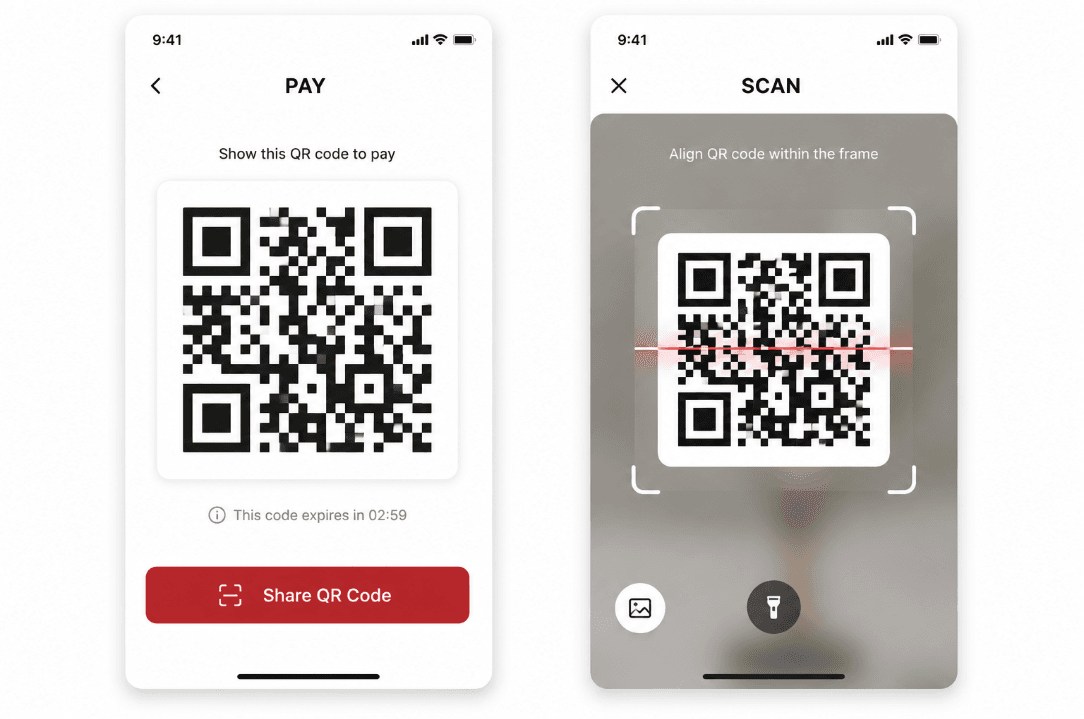
If staff says something like “扫一下 / sao yi xia” → you scan. If they say “出示 / chu shi” → show your QR (Pay).
Bucket #1: The app won’t load (this is usually network, not payments)
If Alipay/WeChat opens slowly or stays on a blank screen, don’t start fiddling with bank cards. Fix connectivity first. Verification, QR loading, and even your wallet balance depend on it.
Fast fixes
- Switch to mobile data. Captive Wi‑Fi (hotel/airport) can block the verification flow.
- Turn off “Low Data Mode” (some iPhones get weirdly aggressive).
- Toggle data off/on, wait 20 seconds, try again.
- Restart once if the phone just landed and the modem is confused.
If you don’t have reliable mobile data yet, payments will keep failing in new and creative ways. A travel eSIM is the fastest “make my phone normal again” fix.
Not for you if your phone doesn’t support eSIM or your device is carrier-locked.
Optional reading (only if you want depth): First-hour app setup guide
Bucket #2: Verification fails (this is where foreigners get stuck)
Verification is where the “China is cashless” story collides with reality. Most failures fall into predictable categories. Once you know which one you’re in, it stops being mysterious.
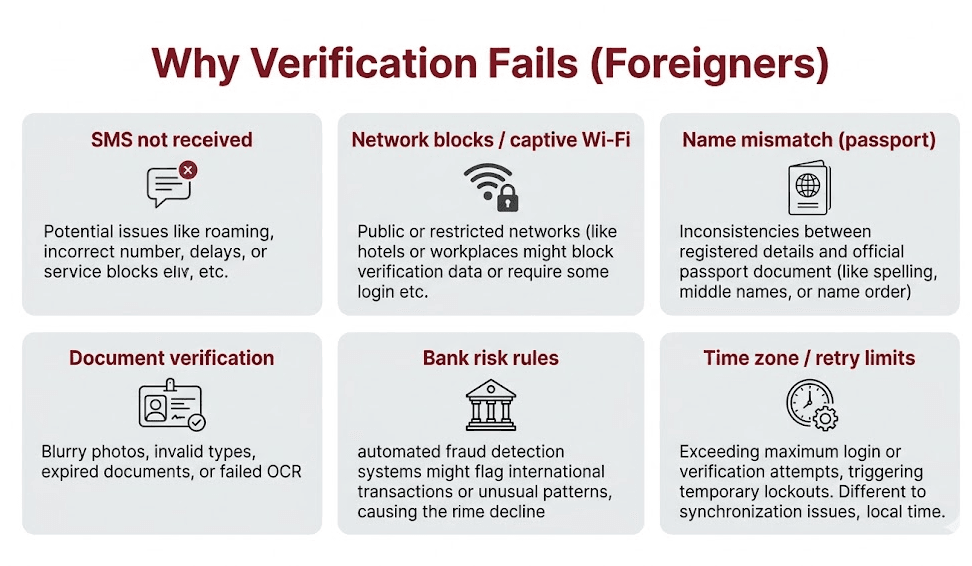
1) SMS code not received
- Confirm your phone can receive SMS on your home number (roaming sometimes blocks short codes).
- Switch networks (mobile data often works better than Wi‑Fi for verification flows).
- Pause briefly, then re-request once (travelers often wait a couple of minutes; timing is not an official rule). Spamming retries can trigger a cooldown.
2) Name mismatch (passport)
This one is sneaky. Middle names, spacing, and name order can matter. If your card and passport name don’t match what the app expects, you’ll see weird errors that look unrelated.
3) Document verification issues
- Use a clean, bright photo. No glare. No cropped edges.
- If your passport photo page is scratched or reflective, angle it slightly.
- Don’t try this in a dark taxi. Do it on a flat surface with good light.
If verification won’t complete today, don’t let that ruin your day. You can still function with a backup plan (see below), then fix verification later when you’re rested.
Bucket #3: “Card declined” (often bank-side, not China-side)
If the app loads fine and verification is done, but payment is declined, treat it like a bank risk rule first. Foreign transactions can trigger automated fraud systems, especially right after landing.
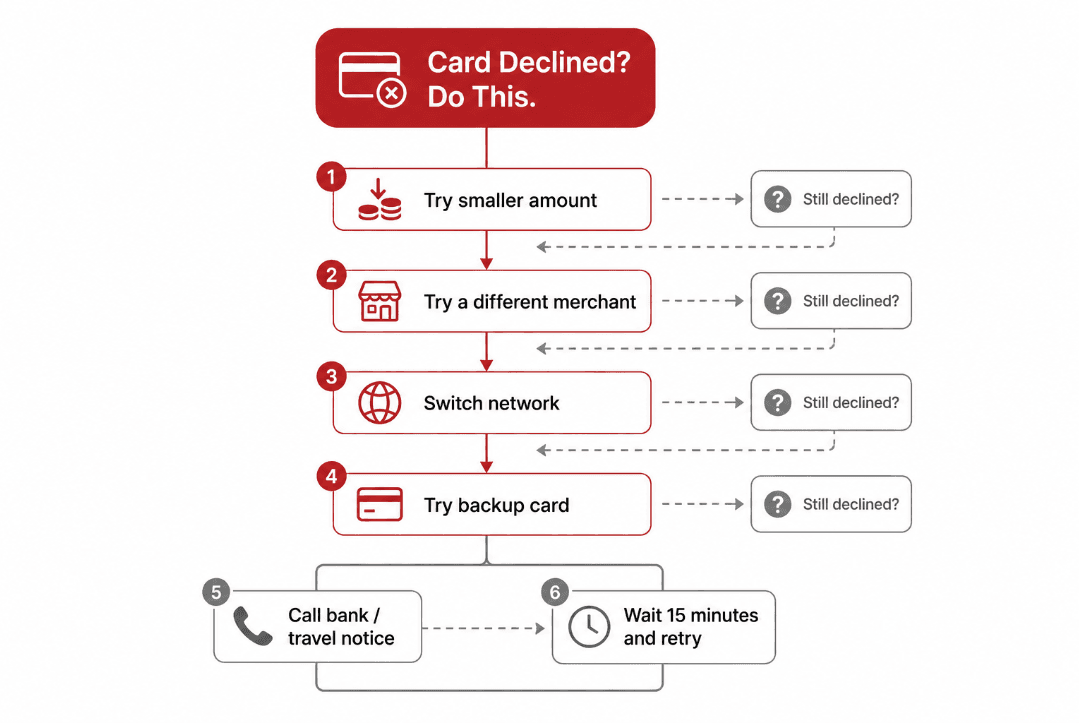
Do this in order
- Lower the amount and try again (¥10 test).
- Try a different merchant. Some terminals reject foreign-linked wallets more often than others.
- Switch network (yes, it matters sometimes).
- Try a backup card if you have one.
- Call your bank and tell them you’re in China; ask if they see declines.
- Wait a short cooldown and retry. Some risk systems cool down automatically (many travelers report roughly 10–20 minutes; not a fixed bank rule).
Your first successful transaction should be small and boring. Don’t start with a big deposit or a fancy restaurant. Get one clean “approved,” then proceed with your life.
Bucket #4: Limits / risk checks / “it worked yesterday” problems
Sometimes your payment works once, then fails later. That can be limits, security triggers, or retry locks. You’ll see messages that feel vague. That’s normal.
What to do
- Stop retrying every 10 seconds. That often makes the lock worse.
- Wait 10–20 minutes, switch networks, and try a small amount.
- If it’s a card limit, use your backup card or contact your bank.
Bucket #5: Merchant-side issues (yes, it happens)
Sometimes the problem isn’t you. The merchant terminal can be offline, the QR code can be static/expired, or the cashier can be using the wrong workflow. It’s rare, but it’s real.
- Your Pay/Scan screens load instantly.
- Payment fails at one counter but works at another nearby.
- A local customer is also having issues.
Day-one backup plan (so you can still eat)
I don’t care how “cashless” the internet says China is. If your phone is failing you today, you need a plan that works in 10 minutes.
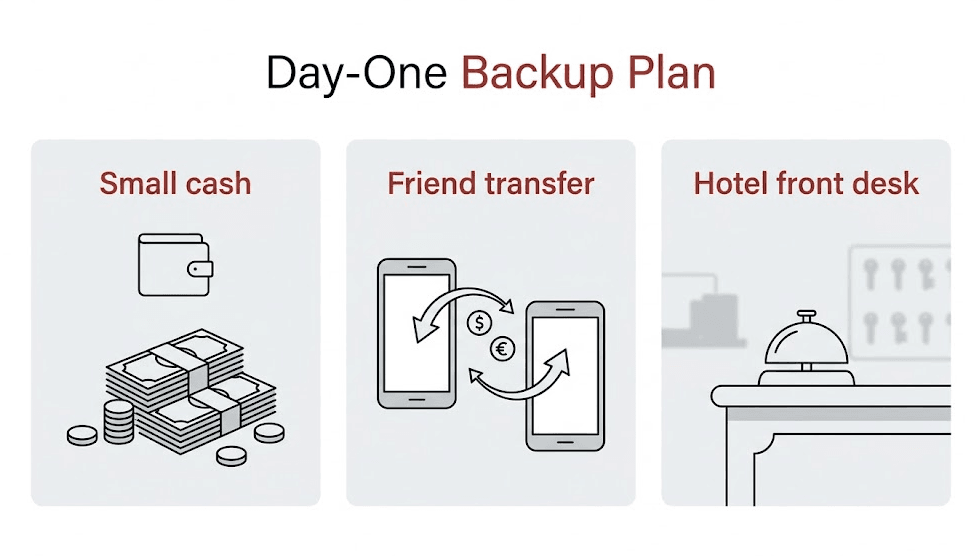
- Small cash: enough for one meal + one transport ride. Think “buffer,” not “budget.”
- Friend transfer: if you’re traveling with someone whose payments work, settle up later.
- Hotel front desk: hotels are used to payment chaos. Ask them to charge your card directly if needed.
Don’t go on a city-wide “ATM quest” the first night. Fix data and app access first. Cash should be a short bridge, not your entire plan.
Prevent this next time (5 minutes of prep)
Once you’re calm again, do the boring setup work. It pays off.
- Verify payments at home before you fly (one tiny transaction if possible).
- Add a backup card if the app allows it.
- Keep stable data for day one. It makes every other fix easier.
- Save key screenshots: passport photo page, hotel address in Chinese, booking confirmations.
Frequently Asked Questions
What’s the fastest way to fix Alipay or WeChat Pay when it fails in China?
Switch Wi‑Fi ↔ mobile data, force-quit and reopen the app, then try both Pay and Scan screens. If it’s a card decline, retry with a smaller amount or a different merchant, then try a backup card and contact your bank if needed.
Why does verification fail for foreigners?
Common causes include SMS not received, captive Wi‑Fi blocking verification, name mismatch vs passport, document verification issues, bank risk rules, and retry/time limits. Switching networks and using mobile data often fixes the first two.
Do I need cash in China if I have Alipay/WeChat Pay?
Carry a small backup amount for day one. China is heavily cashless, but when verification or cards fail, cash can buy you time until you fix the apps.
Is the problem usually Alipay/WeChat Pay or my bank?
If the app loads and verification works but payments are declined, it’s often bank-side risk rules. Try a smaller amount, a different merchant, and a backup card, then call your bank.