Google Maps in China (2026): What Works, What Breaks, and What to Use Instead
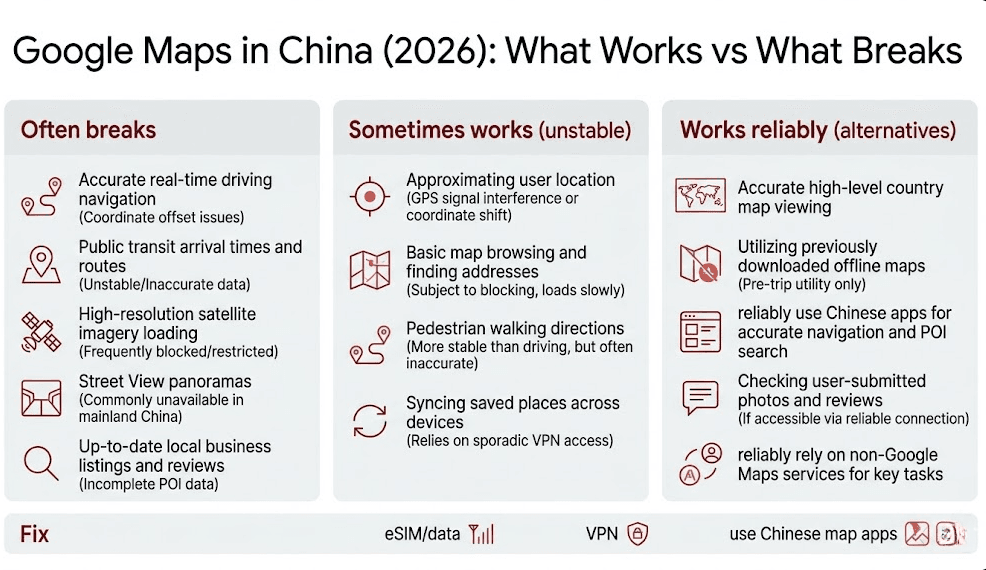
If you’re searching “google maps in china” it usually means one of two things: you just landed and your map won’t load, or you’re planning and you don’t want a day-one mess.
I’m not going to pretend it’s binary (“works” vs “doesn’t work”). It’s more annoying than that. Some parts load, some lag, and some features fall apart when you need them.
1) A VPN can help you access blocked Google services. 2) Even with access, navigation can still feel wrong because of exits, overpasses, and GPS drift.
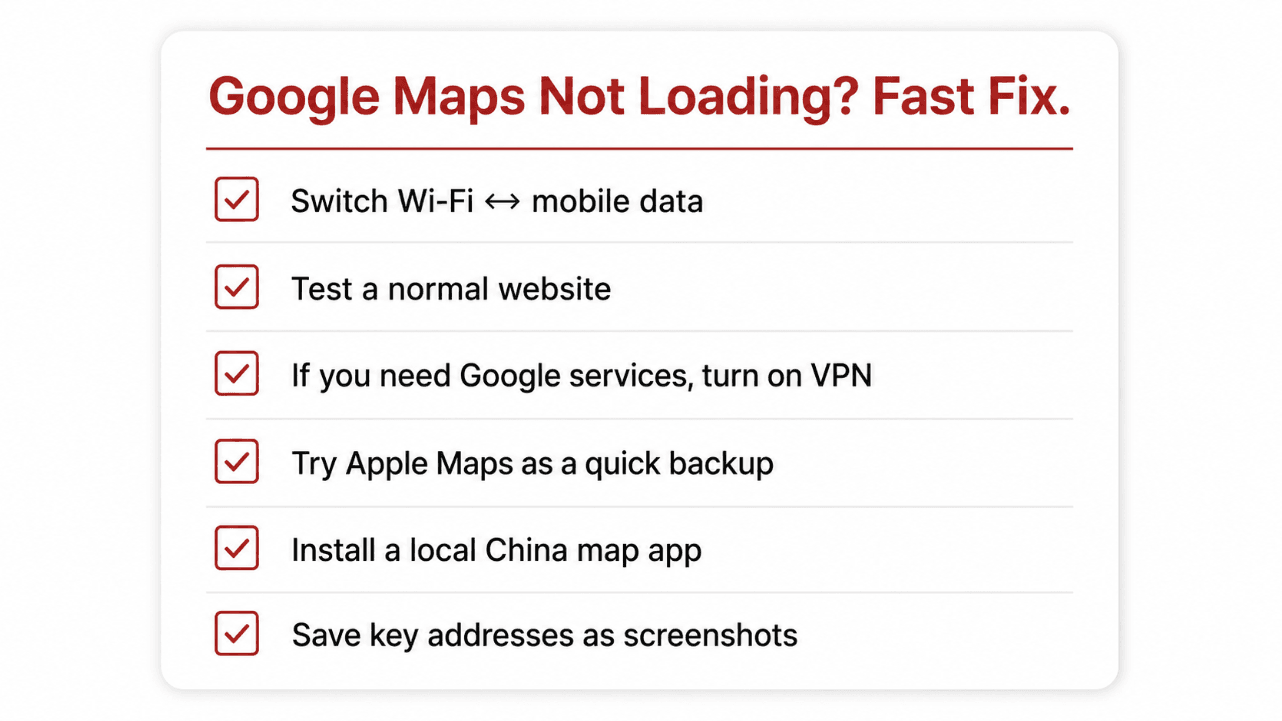
Fast fix: “Google Maps not loading” in 60 seconds
Don’t start by reinstalling apps. Start by figuring out if you have real internet. Then decide whether you need access to Google services or you just need directions.
Do you need a VPN for Google Maps in China?
Sometimes. If you rely on Google services for everything, you’ll probably want a VPN ready before you land. But a VPN is not magic. It’s an access tool.
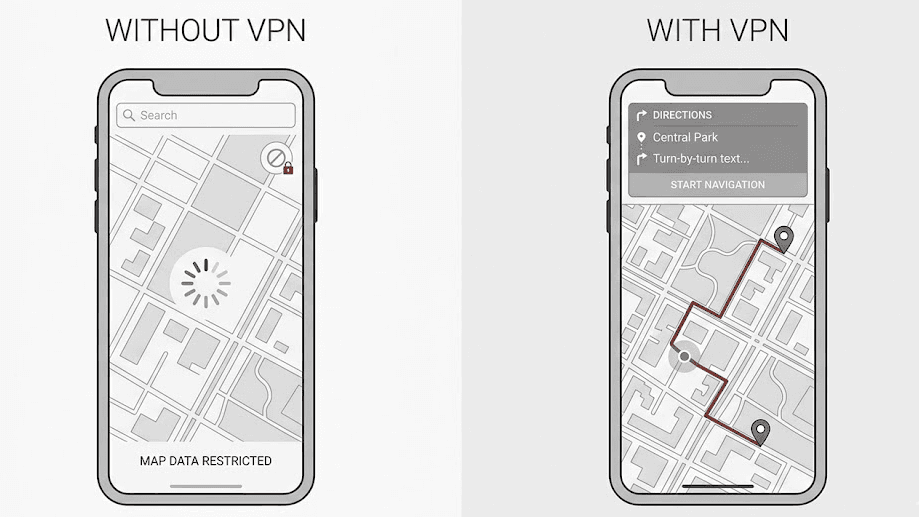
Install and test before you fly. Doing it after landing can be annoying when you’re tired.
Not for you if you never use blocked apps and you just need directions, metro routes, and taxi pickup points.
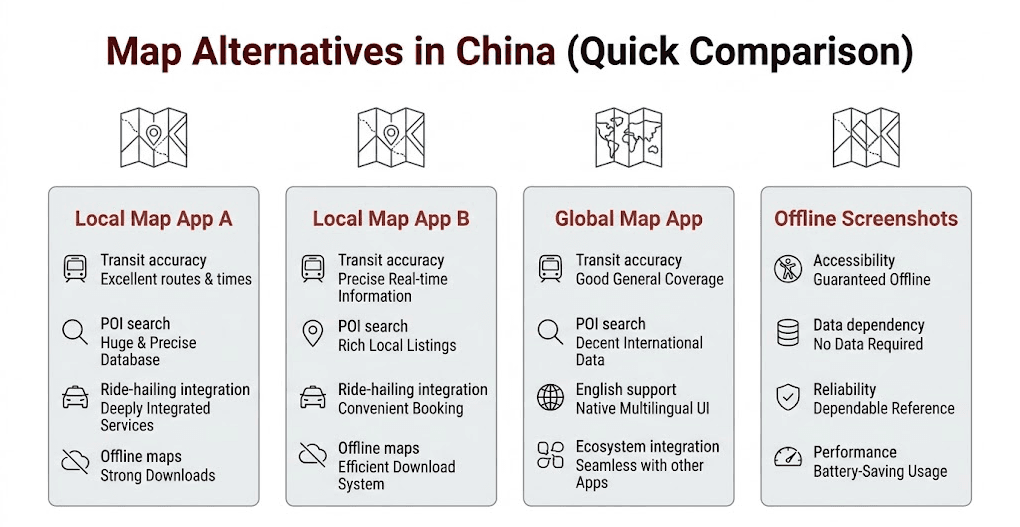
What to use instead (the practical stack)
Here’s what works for most foreigners: a local map app for accuracy, Apple Maps as a backup, and screenshots for the moments your phone decides to be difficult.
Why you still get lost (even when the map loads)
Even with a working map, China can confuse you because of multi-level roads and metro exits that look identical. Your phone might say you’re “there,” but you’re one floor above or below.

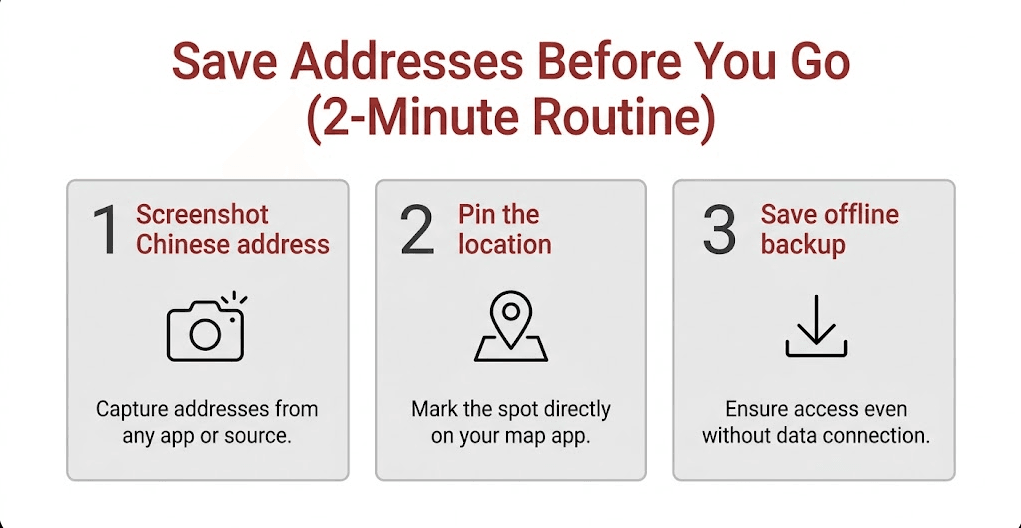
Do this before you leave Wi‑Fi (the 2-minute routine)
Save the addresses you’ll need before your connection gets weird.
If everything is slow: it’s usually data, not maps
When your map keeps spinning, it’s often because your connection is unstable.
If you want the simplest setup for day one: get stable mobile data before you rely on anything else.

Frequently Asked Questions
Does Google Maps work in China without a VPN?
Sometimes it loads basic map tiles, but it can be slow, incomplete, or unreliable. For day-to-day navigation, local China map apps are usually more reliable.
Will a VPN make Google Maps reliable in China?
A VPN can help you access blocked Google services, but it won’t fix every navigation issue like confusing metro exits or GPS drift. Treat it as an access tool.
What should I use instead of Google Maps in China?
Use a local China map app for transit and POI accuracy, keep Apple Maps as a backup, and save key addresses as screenshots.
What’s the fastest fix when maps won’t load?
Switch Wi‑Fi ↔ mobile data, confirm you have working data, then decide: if you need Google services, turn on a VPN; if you just need directions, use a local map app and saved addresses.