China hotels · Passport check-in
Which Hotels in China Accept Foreign Passports? Trip.com Checks Before You Pay
Not every property may host international guests—wrong listings still show up in photos. Use this seven-point flow to filter 内宾-only traps, open Policies → Guests accepted, and confirm pay-at-desk options so you are not arguing at the desk after midnight.
 By Peter Wilson · StartChinaTravel · 2026
A pretty photo gallery means nothing if the property is flagged Mainland China ID only (内宾) or lacks the police-registration workflow for foreign passports. Trip.com surfaces the right fields—but only if you know where to click.
Confirm under Policies → Guests accepted that international travelers are explicitly welcome. Treat anything that restricts guests to Chinese national ID as a hard pass, then re-check payment icons if you are not on Alipay or WeChat Pay yet.
Step 1: Start with the right search
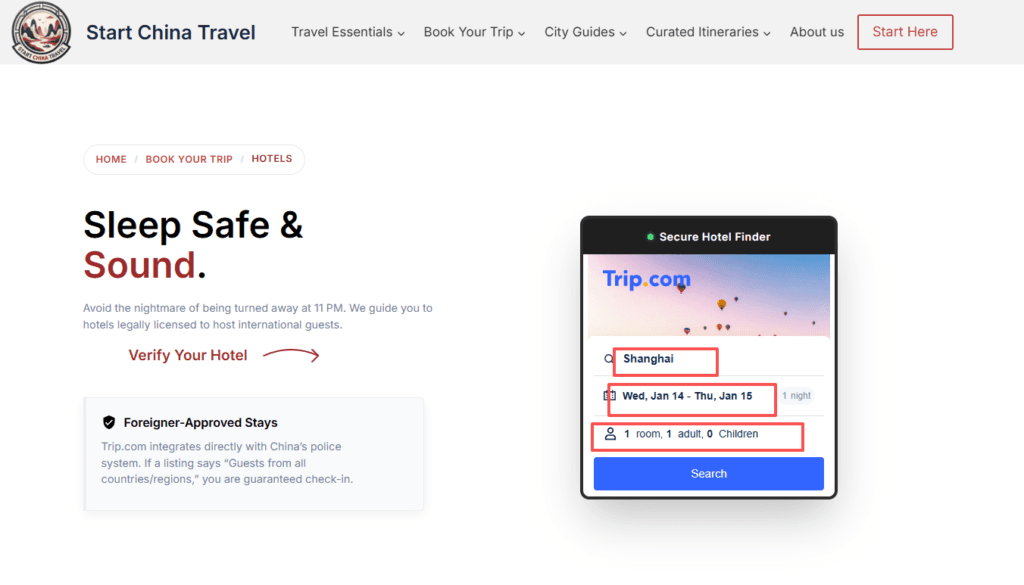
Enter your destination and dates. Do not rely on general aggregators; search directly on the Start China Travel hotel booking page so you land on the integrated Secure Hotel Finder widget, or go straight to Trip.com hotels if you already bookmarked your partner tab. Bookmark whichever tab you use—repeat visits should not depend on random search results or cold-DM “official” links.
Step 2: Filter by star rating (diamond rating)
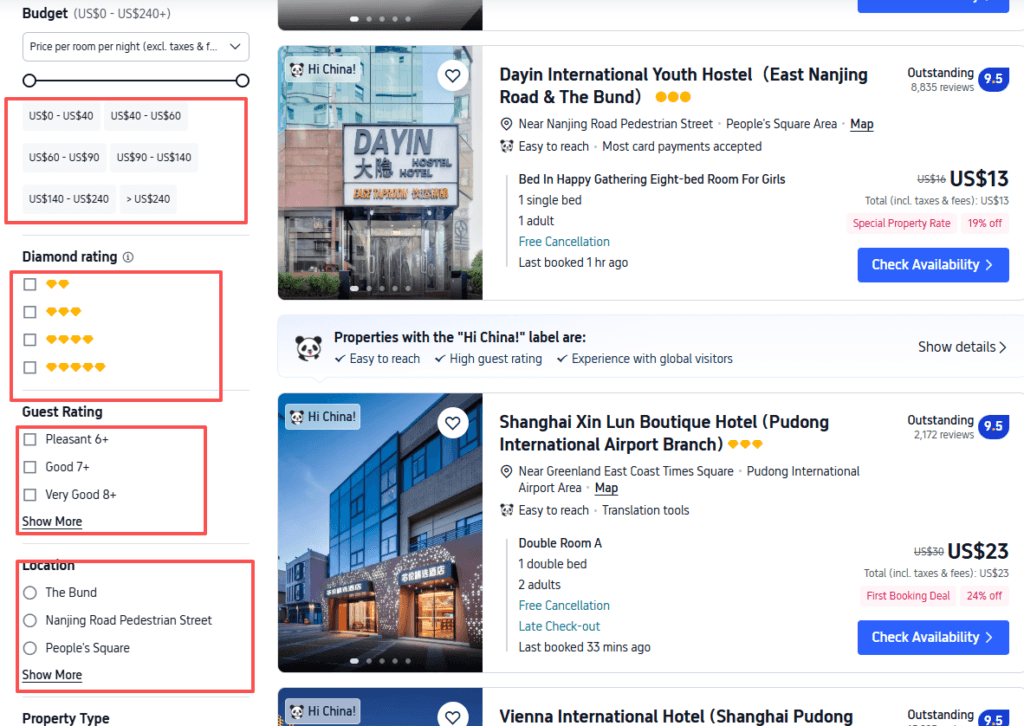
In the sidebar, select 3 Diamond or higher. Trip.com’s diamond scale is a practical quality floor, not vanity—two-diamond properties cluster where hardware and compliance lag.
We rarely book 2-diamond hotels for international clients. They are the most likely to lack the scanning software and training stack expected for foreigner-friendly hotels in China.
Pair diamonds with guest rating (for example 8+) and a sane budget band so you are not scrolling low-quality noise.
Step 3: Open the real listing—not the gallery teaser
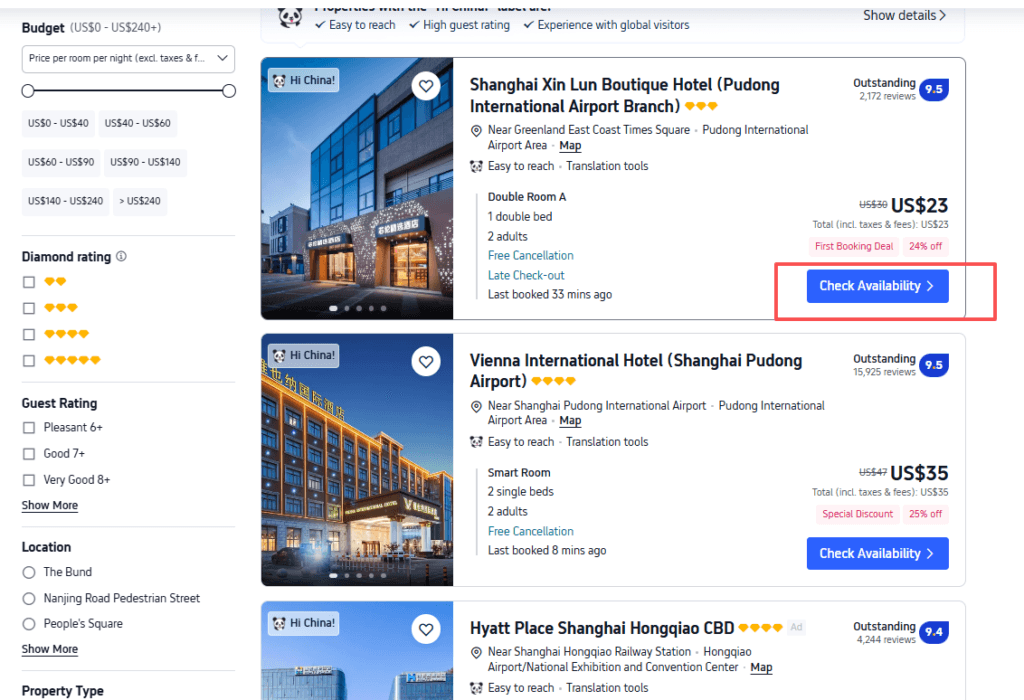
Scan for program badges such as Hi China! when they appear; they signal operators accustomed to overseas guests—but a badge is not a substitute for reading Policies. Click the blue button to view the specific property details.
Step 4: Open Policies before you fall for the rooftop pool
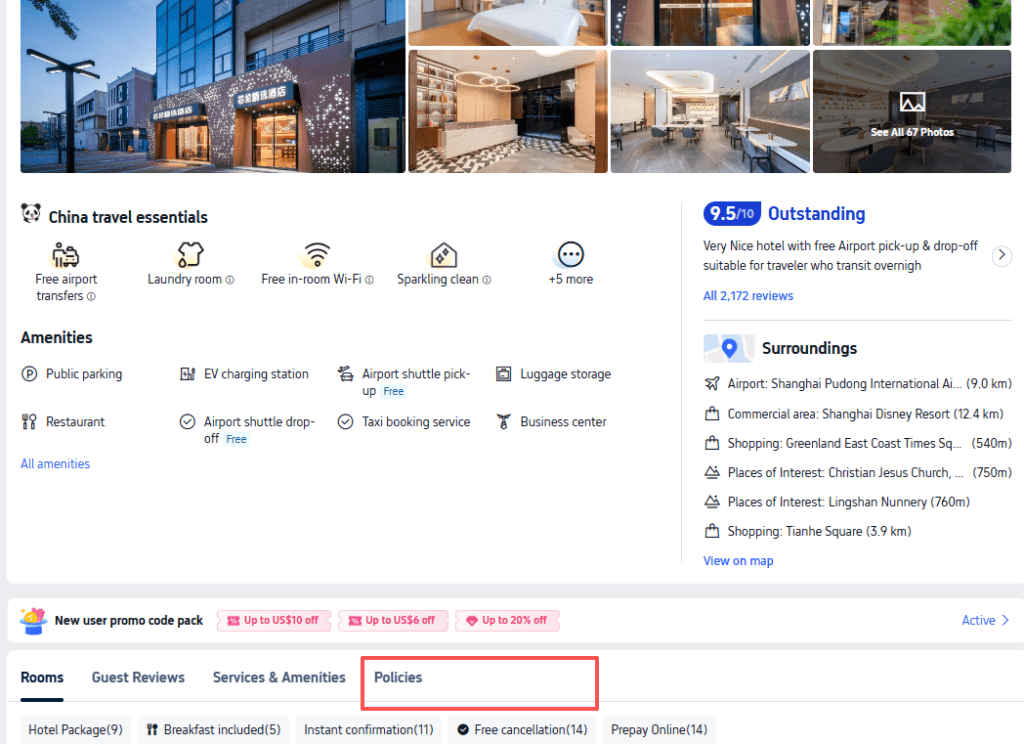
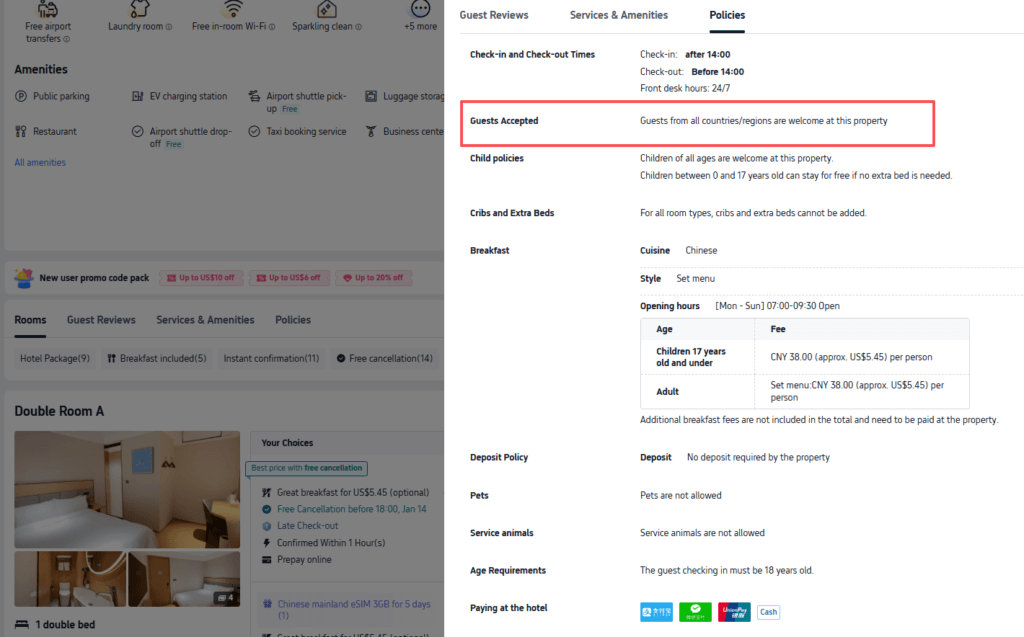
This is the most important step. Ignore the photos for a moment and click Policies in the navigation bar. Photos sell; Policies disclose whether your passport is legal at that desk tonight.
Step 5: Read Guests accepted like a contract clause
Scroll until you see the Guests accepted block. You want explicit language that international travelers are welcome. If you see restrictions to domestic ID holders only, close the tab.
Avoid: “Mainland China ID Only” (内宾).
Step 6: Confirm pay-at-hotel options if mobile pay is not ready
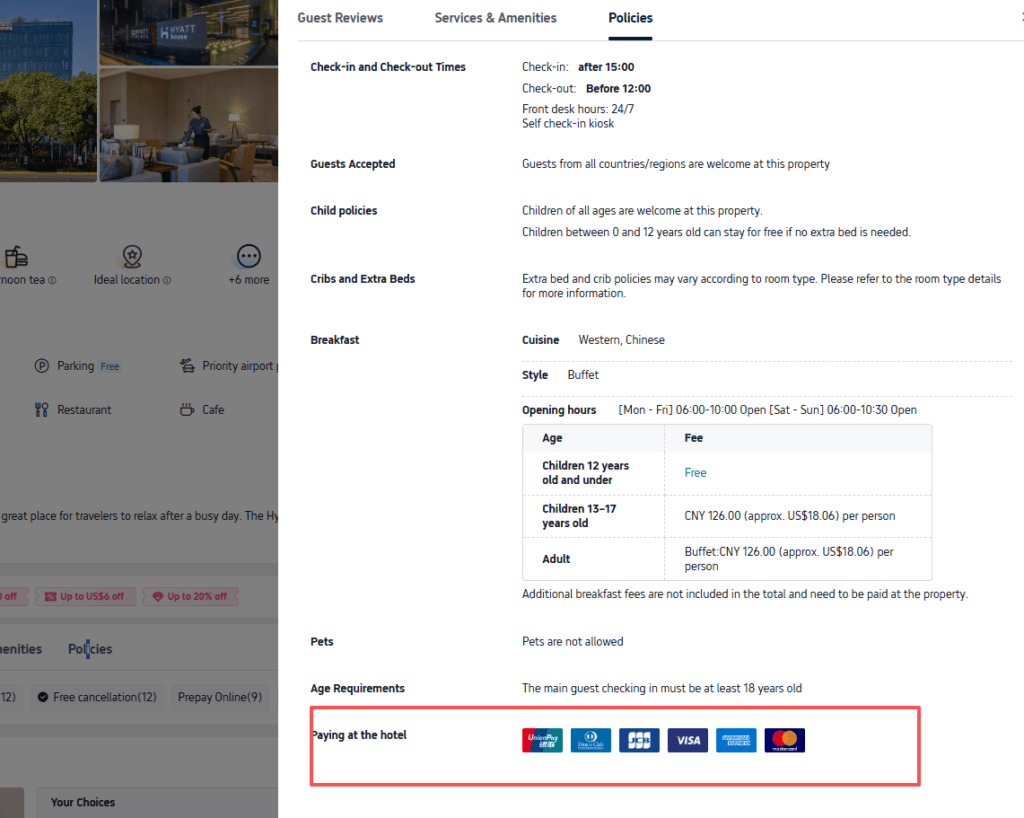
Make sure they accept Visa/Mastercard if you haven’t set up mobile payment yet. On-property payment sections often list UnionPay, Alipay, WeChat Pay, and card networks together—verify the card marks before you assume the front desk can run a magnetic stripe.
If you still need wallet setup, run our Alipay and WeChat Pay guides before departure—digital QR settlement is the default in most cities.
Step 7: Lock the rate with a sane escape hatch
Choose a cancellable rate where the math makes sense, match guest names to passports character-for-character, and note advertised check-in windows if you land after midnight. For trains feeding that arrival, hold seats early via Trip.com China trains.
If a listing’s Policies look vague, switch properties—arguing at 23:00 after a long-haul flight is a bad use of vacation. Our standalone foreigner-friendly hotels hub explains how Trip.com’s police-system integration surfaces “Guests from all countries/regions” when the data is clean.
Trip.com booking shortcuts
Hotels: Trip.com hotel search · Flights: Trip.com flights · Activities: Klook tours & tickets
FAQ
Can foreigners use any hotel in China?
No. Only properties with the correct registration may host international guests. Always verify the Guests accepted language in Policies—never assume from photos or stars alone.
Why skip 2-diamond properties?
They correlate with weaker front-desk systems and higher odds of ID-scan or training gaps. Three diamonds or higher is a simple risk filter—not a guarantee, which is why Policies still matter.
Is Trip.com reliable for this check?
When the listing is maintained, Policies mirror what the property files. If something contradicts the front desk, you have a dated screenshot and a booking reference—both help during disputes or rebooking.
What if I already paid and the hotel refuses me?
Contact Trip.com support immediately with your Policies screenshot and passport. Prevention beats recovery—run Steps 4–6 before final payment whenever possible.
StartChinaTravel earns commissions from some links on this page (including Trip.com and Klook) at no extra cost to you. See Affiliate disclosure and How we test.