Mobility · Arrival Logistics
How Foreigners Grab a Taxi in China (2026)
Street-hailing still exists, but in Shanghai, Beijing, and Guangzhou almost every efficient ride runs through DiDi. Get the mainland app, bind a foreign card, and learn the airport pickup handshake before you reach the curb.
In 2026, learning how foreigners grab a taxi in China means mastering one app: DiDi: Ride Hailing in China. A typical 10 km urban trip stays under ¥30 on Express—but only if your phone number, payment, and GPS pin are correct before you leave the terminal.
Wrong-app downloads and drifting airport pins cause most cancellations. Drivers avoid illegal stops; if your pin sits in a no-stopping lane, they cancel and you wait again. Fix documents and connectivity first, then open DiDi at the 网约车 sign.
For the smoothest start, confirm your travel documents using our China Visa Policy 2026 Guide before you land.
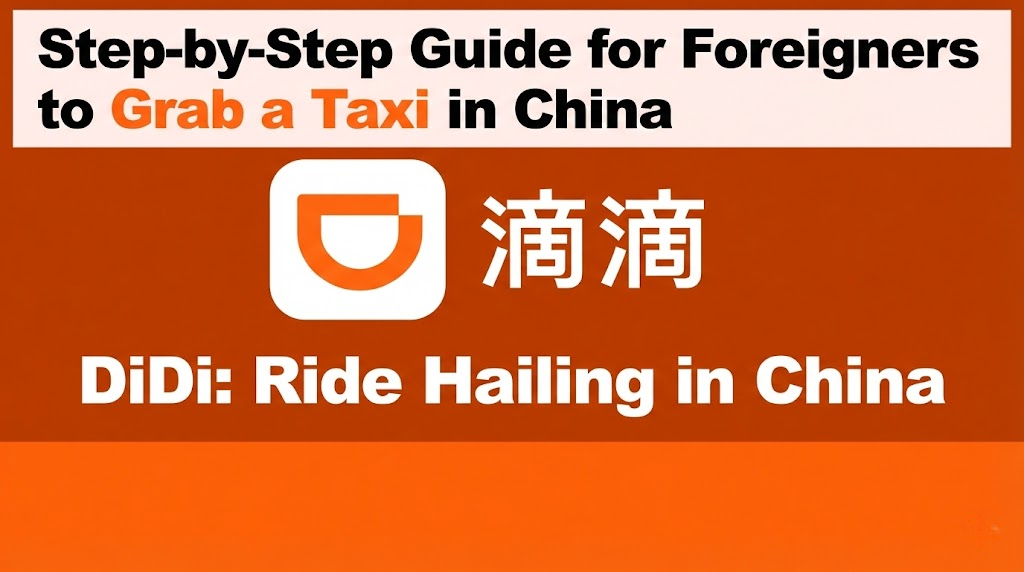
1. Digital setup: registration, language, and payment
The failure mode is downloading DiDi-Rider or another international build that does not connect to the mainland dispatch network. In App Store or Google Play, search DiDi and install the listing titled DiDi: Ride Hailing in China.
Registration and language
- Sign up with most foreign mobile numbers—no Chinese SIM required at registration.
- SMS verification must work: keep roaming on or use a travel eSIM before you tap “Next.”
- Alternate logins include Apple ID, Facebook, and WeChat if your number fails.
- English UI: Settings → Language → English. Map labels and in-app chat translation depend on this.
Higher card success rate
Many travelers link Visa or Mastercard through Alipay in China (2026) first, then add Alipay inside DiDi’s wallet. Direct in-app card binding also works for UnionPay, JCB, and Diners Club.
Payment and auto-pay
Open Profile → Payment Methods (or My Wallet) and bind a card before your first airport ride. Supported options include UnionPay, Visa, MasterCard, JCB, Diners Club, Alipay, WeChat Pay Score, Apple Pay, and e-CNY.
Auto-pay: It is highly recommended to set “automatically pay in advance” to eliminate manual payment hassle. Payment is cashless if you have set this up, but always double-check your card is active before boarding.
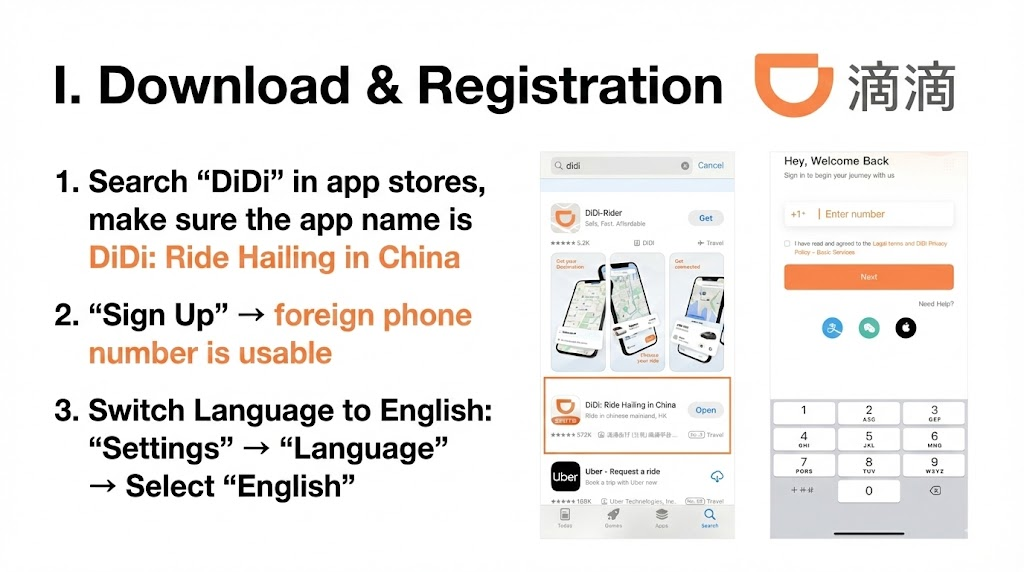
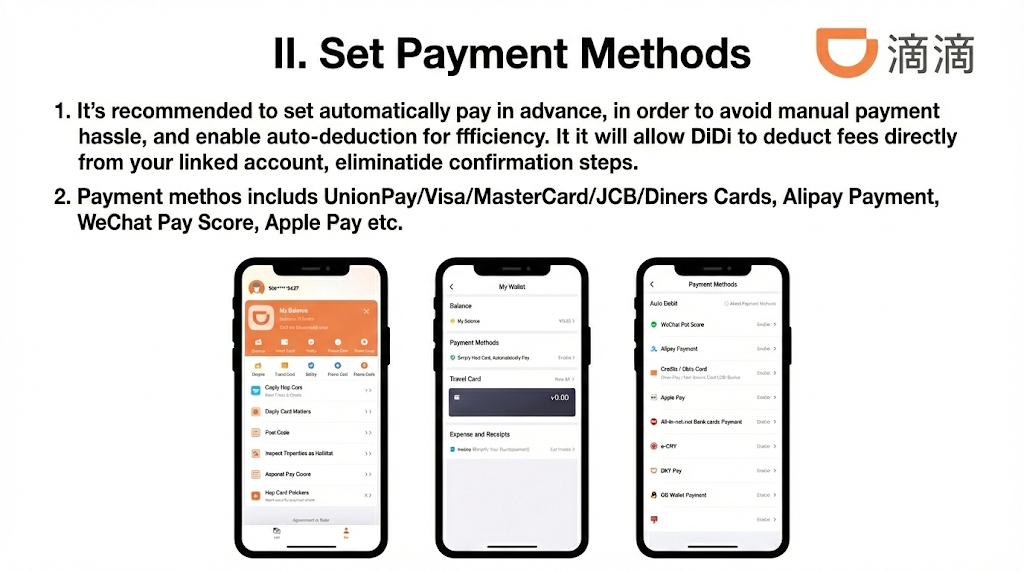
Complete this block on hotel Wi-Fi or mobile data at the airport—not in the taxi queue. See first-hour app setup for the full arrival order (eSIM, Alipay, DiDi).
2. Airport pickup: DiDi vs official taxi queue
Official taxis use a physical queue and a meter. DiDi is usually faster once you reach the signed 网约车 (ride-hailing) zone—but you must walk to the correct pillar.
- Find the zone: Follow terminal signs for ride-hailing / 网约车 and note your pillar (e.g. “C2”).
- Fix GPS drift: If the pin floats on a roadway, drivers cancel to avoid airport fines. Drag the pin to your pillar or gate.
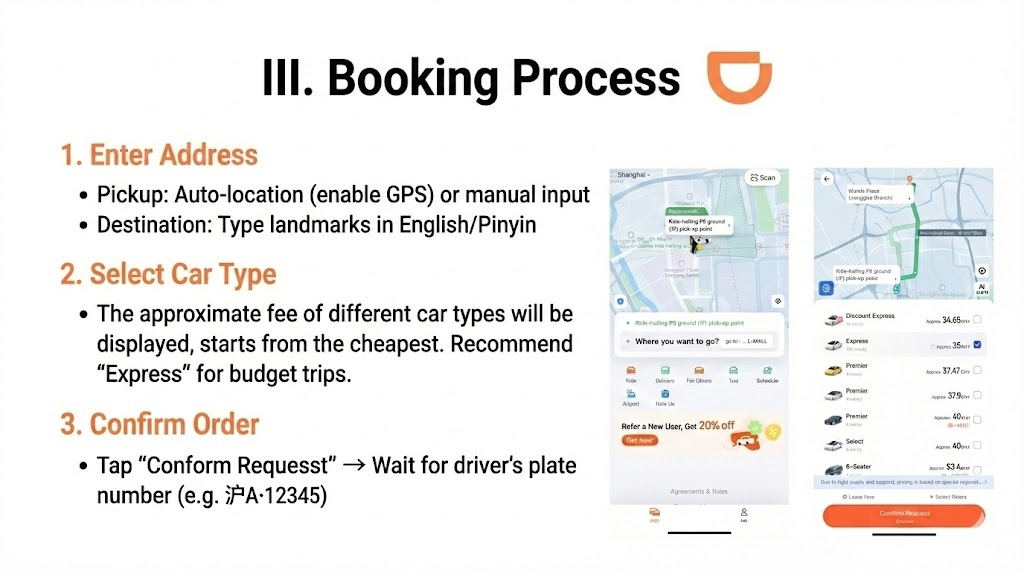
- Enter the address: Pickup can auto-locate; destination accepts English landmarks or pinyin (e.g. “The Bund,” “Sanlitun”).
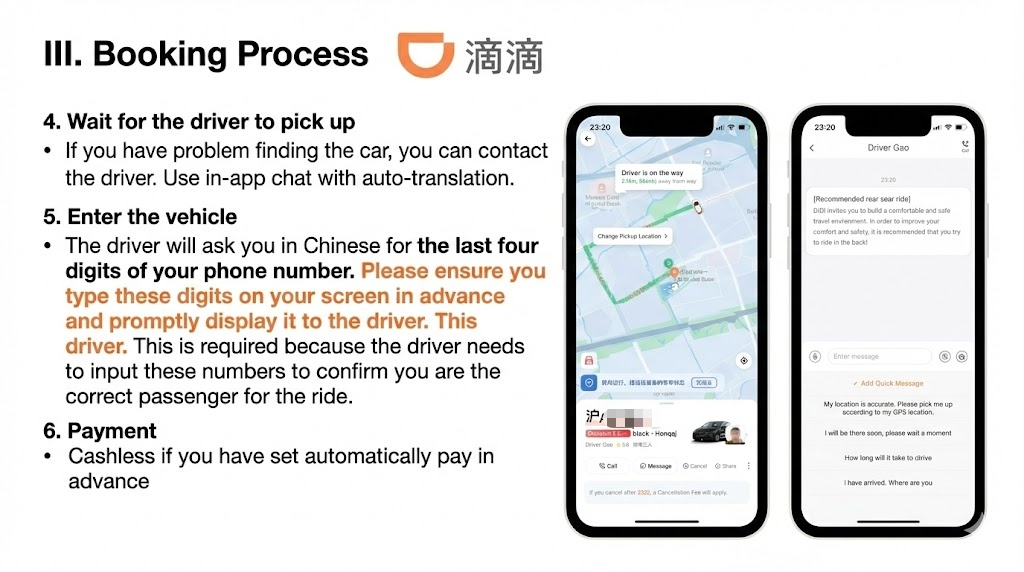
- Choose a tier: Prices list cheapest first. Tap Confirm Request and wait for the plate (e.g. 沪A·12345).
Car types: “Express” is the budget standard, but “Premier” often provides a more seamless experience for international visitors.
Rush hour
Book 10 minutes ahead on weekdays 7–9 AM and 5–7 PM. Rain and holidays trigger surge pricing on all tiers.
Without stable data, the driver vanishes from your map mid-pickup. Activate a Trip.com China eSIM or follow eSIM activation on iPhone; add Surfshark only if you rely on hotel Wi-Fi for backups.
3. Plate check and the four-digit security code
DiDi enforces a digital handshake before the meter starts. Treat it like airline seat verification—not optional small talk.
- Match the plate on the app to the car in front of you (沪A·12345 format) before you open the door.
- Last four digits: The driver asks in Chinese for the last four digits of your registered phone number and types them into their terminal to confirm you are the booked passenger.
- Prompt display: If you cannot communicate these digits verbally, have them ready on your screen in advance to promptly display to the driver.
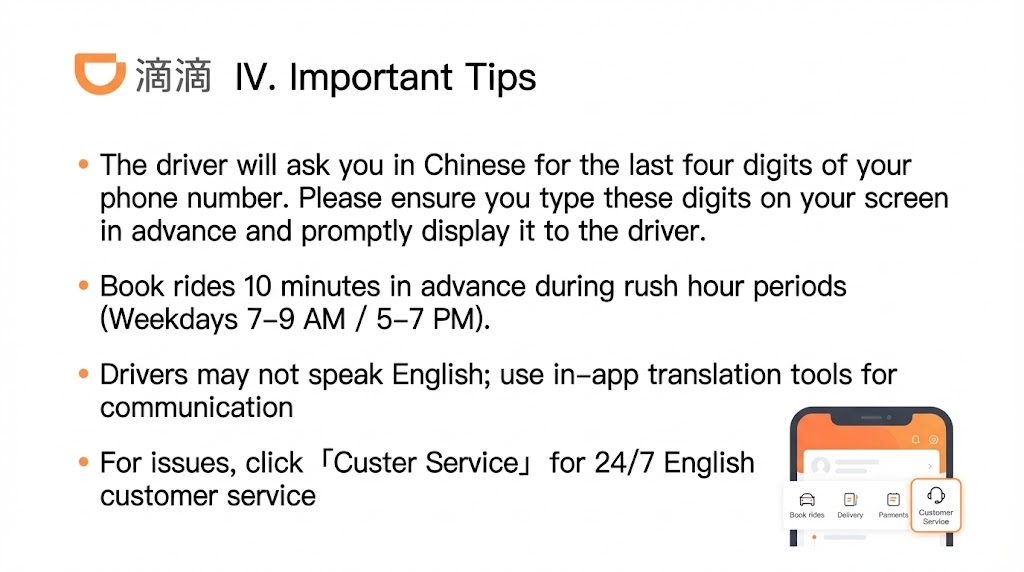
Stuck at pickup? Use in-app Message with quick English presets (“My location is accurate,” “I have arrived”)—the driver sees Chinese. For disputes, open Customer Service in the bottom nav for 24/7 English support.
4. Typical Express fares by city (2026)
Fares are dynamic; rain and peak commute windows add surge. Ranges below reflect standard Express reporting for trips beyond 3 km.
| City | Starting fare (≤3 km, CNY) | Per km above 3 km (CNY) |
|---|---|---|
| Shanghai | 14 | 2.5 |
| Beijing | 13 | 1.5 |
| Guangzhou | 12 | 0.99 |
| Hangzhou | 11 | 0.99 |
| Chengdu | 9 | 1.3 |
| Chongqing | 11 | 1.99 |
Intercity legs over 100 km are faster and more predictable on high-speed rail than highway taxis. Use How to Book Trains in China on Trip.com and the partner link below when you outgrow city rides.
30-second checklist
- Install DiDi: Ride Hailing in China (not DiDi-Rider).
- English UI + foreign card or Alipay auto-pay enabled.
- Airport: walk to 网约车 pillar; fix GPS before confirming.
- Verify plate; show last four phone digits on screen.
- 100 km+ → book HSR on Trip.com instead of road taxis.
FAQ
Can I pre-book DiDi before leaving the airport?
Yes—schedule as soon as you land, but set the pin to the correct pillar and floor. A wrong floor is the top cancellation reason at PVG, PEK, and CAN.
Do I need a Chinese phone number?
No. Most international numbers register fine. You must receive the SMS code—roaming or a travel eSIM active at signup.
Can I pay cash if my card fails?
Assume no. Most drivers are fully cashless in 2026. If auto-pay fails, use the driver’s QR for WeChat Pay for foreigners or fix the card in Wallet before the next ride.
Is DiDi safe for solo travelers?
Yes—trips are GPS-tracked and the Safety Center shares live route data. Keep a charged power bank; see our China packing list 2026.
What if the driver does not speak English?
Type in English in the in-app chat; DiDi translates to Chinese. Use quick messages at pickup instead of shouting across traffic.