Trip.com · Trains · 2026
Trip.com Train FAQ: Family Seats & Cancellation (2026)
Short answers on sitting together with kids, online cancellation hours, and refund timing on Trip.com—with numbers taken from Trip.com’s published China rail policy pages, not forum guesses.
Need adjacent seats for children? Book every passenger in one order on Trip.com trains, use seat selection or “sit together” when offered, and read our Trip.com train guide.
Trip.com does not promise automatic adjacent seats for families. When seat maps or preferences appear, choose them early; when they do not, allocation is inventory-driven. Trip.com’s family train travel guide recommends booking together and selecting family-friendly seats when available.
- One booking: Add adults and children in a single transaction so the system can allocate as one party.
- Seat selection: On many G/D trains you may see seat maps or aisle/window/sit-together preferences—availability varies by route and inventory.
- Second class ABC row: Families of three often target seats A+B+C on the three-seat side when you can pick seats manually.
- Already split? At the station, polite same-class swaps are common; keep passports and e-ticket QR ready.

How to cancel a Trip.com train ticket online
Per Trip.com’s policy page:
- Sign in → My Bookings → Trains → select the order → cancel/refund while the ticket is still eligible.
- Online requests are processed in service hours 08:00–20:00 (GMT+8).
- Tickets for trains departing in under 25 minutes cannot be canceled online—use a station refund window in mainland China if you already collected paper tickets for reimbursement.
- If the ticket is not yet issued, you may be able to cancel the order without rail fees—wording on your order page controls.
Payment problems at checkout are a different article: Trip.com payment failed.
China Railway cancellation fees (via Trip.com)
Trip.com states it follows China Railway rules. The HK English policy page lists these online refund fee tiers (verify on your refund screen):
| When you cancel (before departure) | Fee (per policy page) |
|---|---|
| 7+ days before departure | No fee listed on HK policy page for this window |
| 48 hours–7 days | 5% of fare (minimum CNY 2 per HK page) |
| 24–47 hours | 10% of fare |
| Under 24 hours | 20% of fare |
Spring Festival and special change/refund rules can differ—Trip.com’s policy pages call out peak-period exceptions. Read the fee line on the refund confirmation popup.
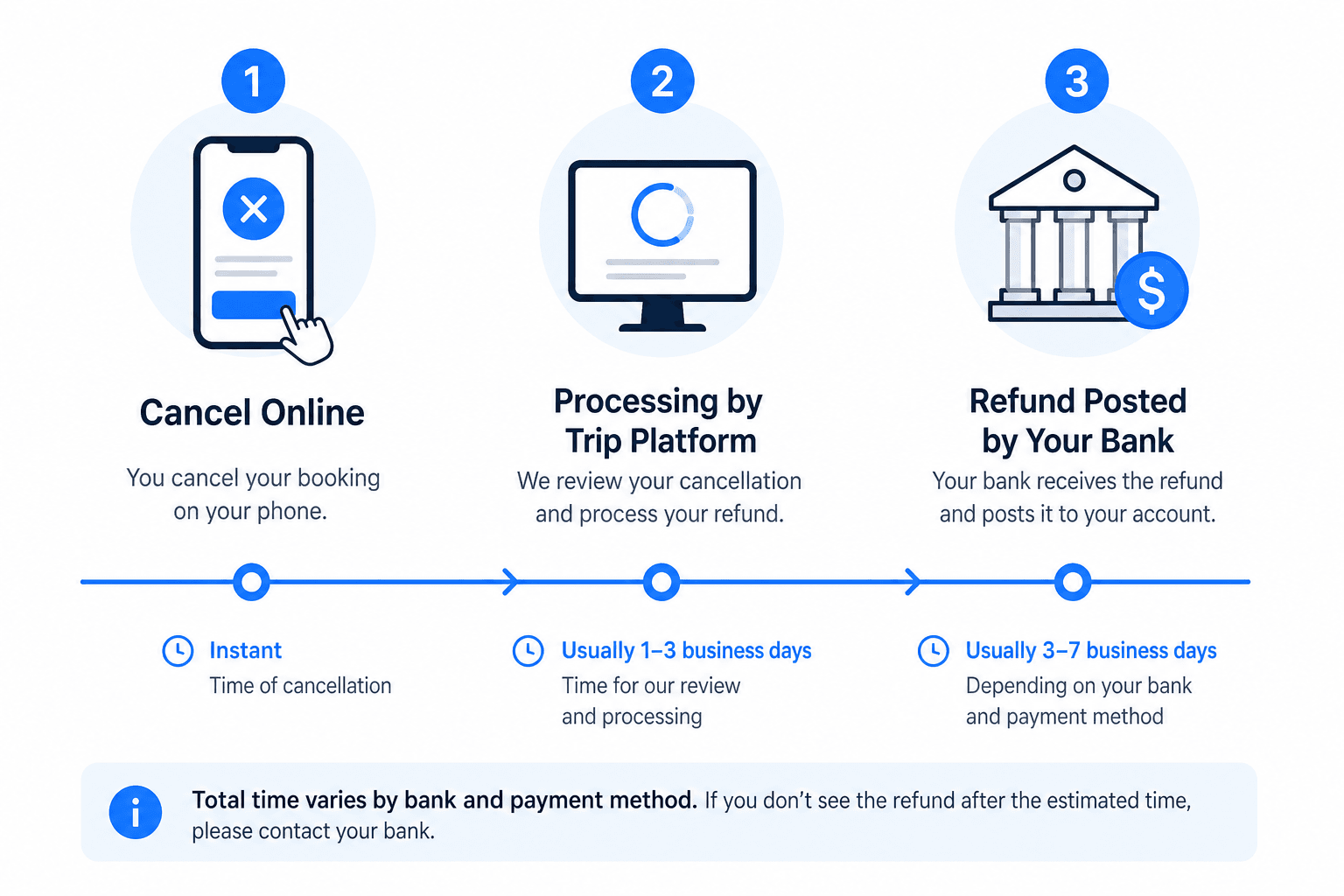
How long Trip.com train refunds take
Trip.com policy pages give ranges, not a single guaranteed day count:
- One page states refund to the original payment method within 7 working days (HK English policy).
- Another states up to 20 working days, with final posting depending on your bank (SG English policy).
Until the refund posts, the seat may stay held in China Railway’s inventory—do not assume you can instantly rebook the same seat. For stuck money after a failed ticket, see refund delay guide.
Child tickets on Trip.com (summary)
Trip.com’s booking tactics page summarizes age bands (under 6 free without seat, 6–14 child ticket, 14+ adult) and notes child tickets must travel with an accompanying adult on the same train/date. Child fares may be charged at adult price first, then adjusted after issuance—watch your order details.
FAQ
- Does Trip.com guarantee seats together for two adults and one child?
- No. Use one booking, early purchase, and seat preferences when shown. Confirm seat numbers on the issued ticket.
- Can I cancel at 21:00 China time?
- Online cancellation is limited to 08:00–20:00 GMT+8 on Trip.com’s policy page. Outside that window you may need station assistance or to wait for service hours.
- Why is my refund still pending after a week?
- Trip.com quotes multi-day to multi-week windows; banks add time. Contact Trip.com chat with order ID before disputing with your card issuer.
- Duplicate booking on the same train?
- China Railway uses real-name tickets. If you already hold a seat, cancel or change the first order before buying again—see order status in the app, not a second payment attempt.
We may earn a commission from Trip.com partner links. Rail rules change—verify on Trip.com’s live policy page. See How we test.