China Airport Wi-Fi Survival Guide (2026): When It Needs a China Number
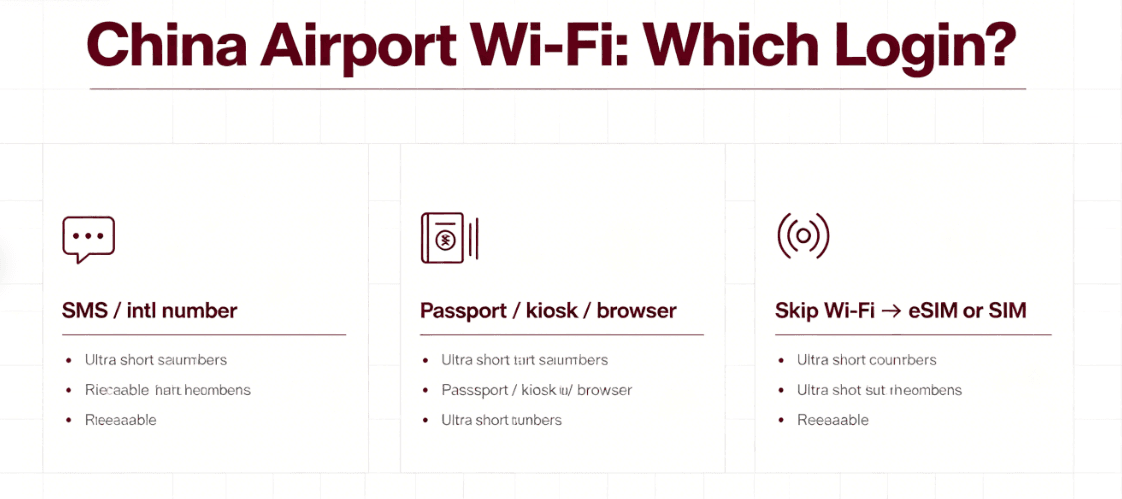
SMS / international number
- Connect → portal → enter number → OTP.
- Some hubs support many foreign carriers; some don’t.
- If no SMS in ~2 minutes, switch path—don’t spam resend.
Passport / kiosk / browser
- Kiosk scans passport → prints username/password.
- Portal may ask for passport photo upload.
- Best when your home SIM won’t receive OTPs.
Skip Wi‑Fi → eSIM or SIM
- Activate data first; finish maps/rides/messaging.
- Come back to airport Wi‑Fi when you’re calm.
- Valid “I don’t care about free Wi‑Fi” strategy.
A failed Wi-Fi login is usually a portal problem, not proof you’re “bad at China.” Switch methods before you switch moods: SMS → kiosk → passport page → cellular data.
The truth about “China number required”
“Needs a China number” is only one possible rule—and it isn’t universal. What airports actually need is a verifiable identity path that satisfies their network policy: a phone that can receive a one-time code, a passport check at a kiosk, or an in-browser passport capture.
That’s why you’ll see travelers argue online and both be “right.” They connected at different airports, different terminals, or different years. Treat forum posts as anecdotes; treat signage + the captive portal as ground truth.
Payments and apps are the real “day one” goal—Wi-Fi is just one lane. If you’re building your arrival stack, start with the China Travel Checklist and the apps that work without VPN.
The three common login styles
Most mainland airport Wi-Fi flows look like variations of the same three tools. Learn the pattern once; reuse it everywhere.
Shanghai-style workflow (SMS, kiosk, passport)
Shanghai’s major airports are a good mental model because they’re explicit about multiple paths—exactly what you want when you’re jet-lagged.
For Pudong (PVG), travelers commonly report the SSID #AIRPORTPVG-FREE-WIFI (note the leading #).
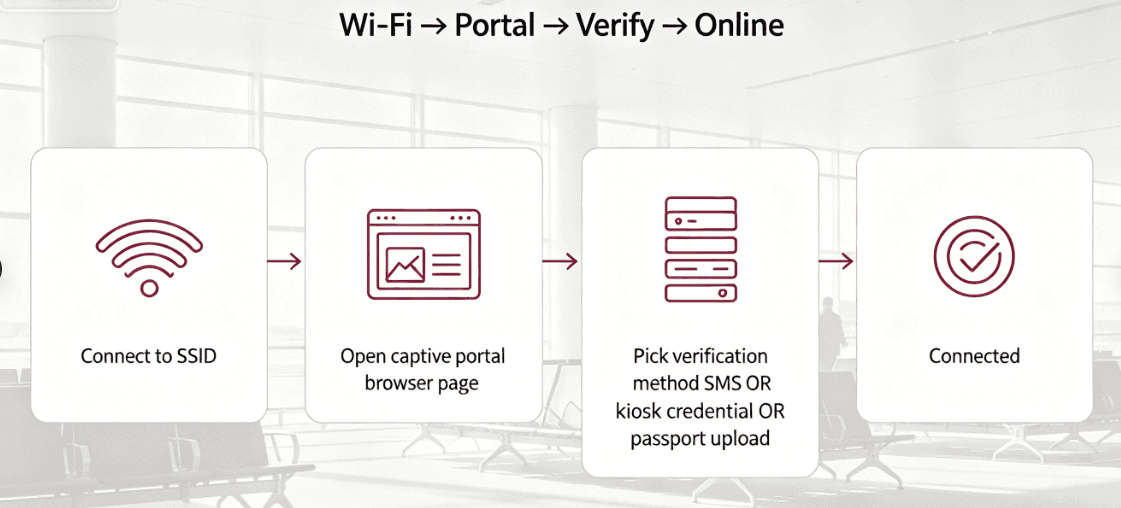
Typical flow: connect → open any webpage → choose a login method → finish verification.
SMS path: enter a phone number, request the OTP, type it in—some setups advertise support for many international carriers (check the portal language options). If you never receive the text, don’t keep hammering “resend.” Switch methods.
Kiosk path: locate a Wi-Fi kiosk (often near information counters / certain gate clusters), scan passport on the machine, grab the printed login. Then return to the splash page and select the kiosk/credential login—not SMS.
Help line: If you’re lost, Shanghai airports publish a Wi-Fi support number—commonly quoted as (+86) 400 6500 311 (verify on the airport’s official page when you land; numbers can be updated).
Some travelers specifically call out Hongqiao as friendlier for international numbers on SMS login—but don’t treat that as law. It’s a “try here first” hint, not a guarantee for every carrier in every month.
Beijing / Daxing-style: passport-first options
Beijing’s airports get huge international volume—so it’s worth knowing that passport-based Wi-Fi access shows up in marketing for Daxing (PKX), positioned as a help for inbound travelers who don’t yet have a local SIM. Translation: “China number required” isn’t the only design in town.
What that means operationally: if SMS is fighting you, look for passport verification (kiosk or portal) before you decide the airport hates you. Signage beats assumptions—follow what the terminal actually offers that week.
In Capital Airport (PEK) and the broader Beijing hub ecosystem, the lesson is the same as anywhere else in China:
terminals evolve fast—kiosk locations move, portals get translations, and “the way my friend did it in 2019” may be fiction today.
When in doubt, ask an information desk for “Wi-Fi passport login” (you can show the characters 无线网络 + 护照 from a note on your phone).
Guangzhou, Shenzhen, and “everything else”
I’m not going to pretend I’ve tested every gate at every southern hub this quarter—nobody honest should. What I will say is that major international terminals generally converge on the same toolkit: SMS where allowed, passport verification where required, and staff who can point you to a kiosk when you’re about to lose your mind. If you’re connecting through Guangzhou (CAN) or another mega-hub, budget patience: international departure/arrival zones can be long walks, and the winning move is often get data, then do your “nice to have” Wi-Fi login when you’re not dragging three time zones of jet lag.
When SMS fails (the real reasons)
If you’re stuck on “I never got the code,” these are the usual suspects—ranked by how often I see them in the wild:
- Carrier filtering: some home-country SIMs quietly eat international OTP texts.
- Number formatting: country code mistakes turn into “mystery never sends.”
- Portal overload: arrivals surges mean the SMS gateway hiccups—retrying isn’t always virtuous; switching methods is.
- You’re on Wi-Fi that won’t load the next step: paradoxical, but captive portals misbehave when DNS/redirects choke—try another browser or disable flaky VPN split tunnels temporarily.
Public Wi-Fi hygiene (boring, but it saves you)
I’m not here to fear-monger, but I also don’t trust random splash pages with my whole digital life. For airport Wi-Fi, assume “coffee-shop grade”: fine for grabbing a map screenshot, less ideal for adrenaline-fueled “install this helper app” popups. Stick to the official portal, avoid downloading random APKs from strangers, and prefer cellular for anything that feels like banking. If the portal keeps pushing sketchy certificates or weird downloads, stop—that’s not normal behavior for a mainstream Chinese airport network.
The professional backup: mobile data first
Here’s the non-romantic truth: the fastest “fix” for airport Wi-Fi drama is often not fighting the portal. It’s getting on cellular data, finishing the 10 things you actually need (maps, ride app, messaging), and only then dealing with Wi-Fi like a leisure activity.
For China trips, I treat mobile data as infrastructure—not a lifestyle flex.
Wi-Fi vs VPN (what matters at the airport)
Airport Wi-Fi won’t magically unblock the wider internet. If you need certain apps/services on arrival, plan like an adult: know what breaks inside China, and know your workaround—often a VPN you’ve tested ahead of time (installation can be annoying after landing if you’re stressed).
If you rely on blocked services, install and test before you fly. Legality questions come up a lot—start with a sane overview rather than forum panic.
Once you’re online—Wi-Fi or cellular—the next bottleneck is often payments, not blogs.
FAQ
Do I need a Chinese phone number for airport Wi-Fi in China?
Not always. Many airports offer passport/ID verification (kiosk or in-browser upload), and some SMS portals support international numbers. If SMS fails, switch paths or use mobile data.
Why won’t China airport Wi-Fi send me the SMS code?
Carrier filtering, wrong number format, congested SMS gateways, or a flaky captive portal. Try kiosk credentials, passport upload login, or switch to cellular data and retry later.
Is airport Wi-Fi in China safe enough for Alipay and banking apps?
Treat it like public Wi-Fi anywhere: okay for light logistics, but prefer cellular data for sensitive logins when possible.
What is the fastest workaround if airport Wi-Fi won’t connect?
Use mobile data (China eSIM or local SIM) to get online immediately—then set up maps, rides, and messaging without depending on the portal.