The Ultimate China Travel Checklist 2026— Week-by-Week Timeline
Everything you need to do before your China trip, organized into a5-phase timeline. From visa and VPN to packing and airport prep — check off each item as you go.


Trip funnel
Your pre-trip timeline
China requires more preparation than most destinations. Between the Great Firewall, cashless payments, visa requirements, and hotel restrictions, there’s a lot that can go wrong if you don’t prepare.
This checklist is organized into5 phases based on how far out you are from your departure date. Work through each phase and you’ll arrive in China fully prepared.
WKS
Visa, Flights & Big Decisions
The foundation — get these done first
- Check if you need a visa. 30+ countries now have visa-free entry for up to 30 days. Others qualify for 240-hour visa-free transit. Check your eligibility.Visa Guide →
- Apply for a visa if needed. Tourist visa (L visa) takes 5–10 business days. Apply at your nearest Chinese embassy or consulate.
- Check passport validity. Must be valid for at least 6 months beyond your entry date with at least 2 blank pages.
- Book international flights. Best prices2–3 months ahead. Consider secondary hubs (Chengdu, Xi’an) for cheaper fares.Flight Guide →
- Book foreigner-friendly hotels. Use Trip.com’s “Accepts Foreign Guests” filter. Not all hotels can legally host foreigners.Hotel Guide →
- Plan your rough itinerary. Decide which cities you’ll visit. Research high-speed train connections between them.
- Get travel insurance. Make sure it covers China specifically, including medical evacuation.
WKS
Digital Setup & Bookings
Get your phone China-ready
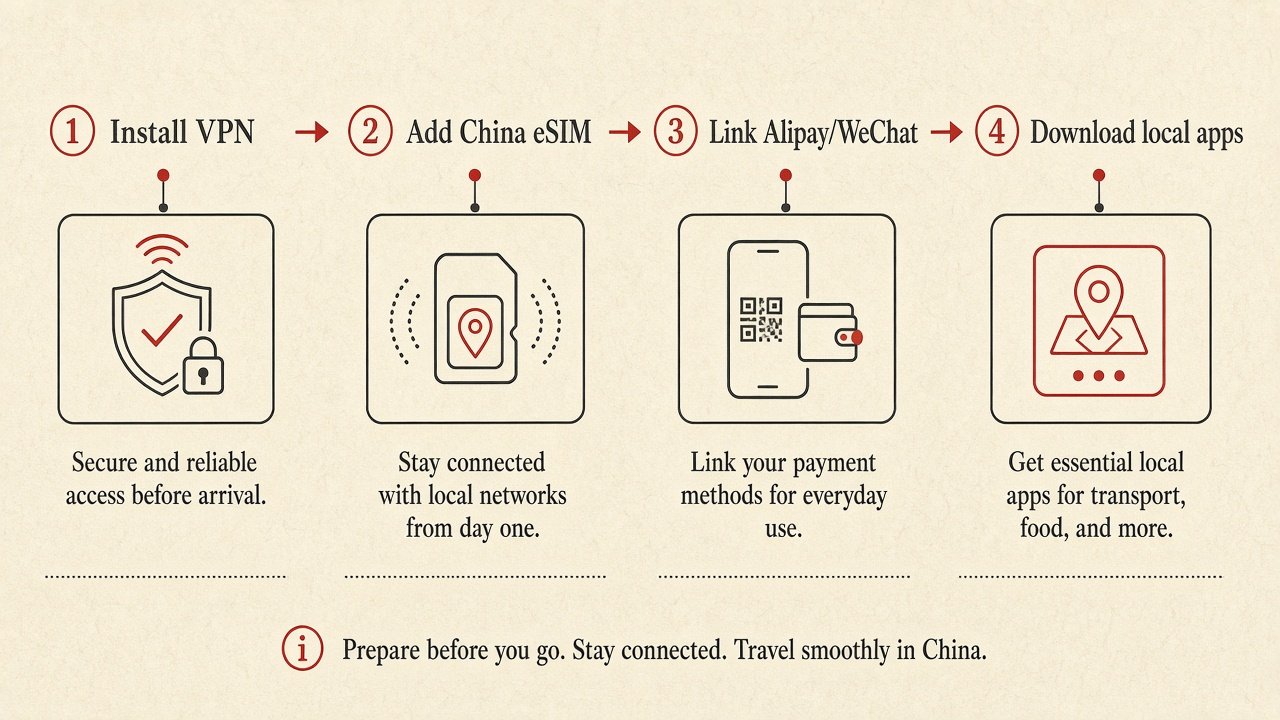
- Buy & install a VPN. VPN websites are blocked in China — you MUST install before departure. We recommend Surfshark ($2.19/mo).VPN Guide →
- Buy a ChinaeSIM. Get mobile data that works on arrival. Trip.com eSIM from $3.90or Airalo from $4.50.eSIM Guide →
- Set up Alipay. Register, verify identity with passport, and link your Visa/Mastercard.Alipay Guide →
- Set up WeChat Pay. Register WeChat, verify identity, and link your international card.WeChat Guide →
- Download essential Chinese apps: Amap (maps), DiDi (rides), Baidu Translate (translation), Meituan (food).Apps Guide →
- Call your bank. Notify them you’ll be making transactions in China through Alipay/WeChat Pay. Enable international transactions.
- Book train tickets for inter-city travel. Use Trip.com with your passport number. Popular routes sell out 3–7 days ahead.Book Trains →
- Book attraction tickets for popular sites (Great Wall, Forbidden City, Terracotta Warriors). Many require advance booking with passport number.
WK
Testing, Packing & Final Prep
Make sure everything actually works
- Test your VPN. Connect to a server and confirm it works. Try Japan or Singapore servers — these work best from China.
- Test Alipay & WeChat Pay. Make a small test payment to confirm your card is linked and working.
- Download offline maps. Save your hotel area and key destinations in Amap for offline use.
- Download offline translation packs. In Apple Translate or Baidu Translate, download the Chinese language pack.
- Save key addresses in Chinese. Hotel address, airport, train stations — save them as screenshots and in Amap.
- Get cash. Exchange¥500–1,000 RMB at your home bank or plan to withdraw at the airport ATM.
- Pack essentials: Universal power adapter (Type A/C/I), power bank (under 100Wh for flights), USB-C cables, comfortable walking shoes.
- Copy important documents. Passport photo page, visa, insurance policy, hotel confirmations — save digital copies in your phone AND email.
- Check weather for your destinations and pack accordingly. China’s climate varies dramatically by region and season.
DAY
Final Checks
Last-minute items before departure
- Charge all devices. Phone, power bank, laptop, earbuds. You’ll need your phone immediately on arrival.
- Activate your eSIM. Follow the activation instructions. Set it as your data line but keep your home SIM for SMS verification.
- Connect VPN and leave it on. Some travelers set their VPN to auto-connect on startup so it’s ready when they land.
- Screenshot all confirmations. Flight, hotel, train tickets, attraction bookings — screenshot everything in case you lose internet.
- Check-in online for your flight and download your boarding pass to your phone.
- Fill out China customs declaration if required. Some airlines provide the form in-flight; some airports have digital kiosks.
1. VPN installed and tested — you cannot download it in China.
2. Alipay set up with linked card — you can’t buy anything without it.
3. Hotel address saved in Chinese — taxi drivers don’t read English addresses.
At the Airport & Arrival
You’ve landed — here’s what to do first
- Turn on eSIM data as soon as you land. Go to Settings → Cellular → turn on your China data line.
- Connect VPN immediately. Test by opening Google or WhatsApp to confirm it’s working.
- Go through immigration. Have your passport and any visa/entry documents ready. Fingerprints will be scanned.
- Withdraw cash at airport ATM if you didn’t exchange at home. Look for ATMs with Visa/UnionPay logos. Get ¥500–1,000.
- Get to your hotel. Use DiDi to book a ride, or take the airport express train/metro. Show your hotel address in Chinese to the driver.
- Register at your hotel. Hotels are required to register foreign guests with local police within 24 hours. They handle this at check-in — just provide your passport.
If you’ve checked off everything above, you’re better prepared than 95% of foreign travelers arriving in China. Your VPN is running, your payments work, your maps are loaded, and you know how to get around.Enjoy your trip!
Frequently asked questions
What’s the single most important thing to do before going to China?
Install a VPN. Without it, you lose access to Google, WhatsApp, Instagram, Gmail, and most Western services the moment you land. VPN provider websites are blocked in China, so you cannot install one after arrival. We recommend Surfshark from $2.19/mo.
How much cash should I bring?
¥500–1,000 RMB ($70–140 USD) as emergency backup. China is95%+ cashless — you’ll use Alipay and WeChat Pay for almost everything. Cash is just for emergencies, rural areas, or if your phone dies.
Do I need to speak Chinese?
No, but it helps enormously. With Baidu Translate (camera translation), Amap (English navigation), and DiDi (auto-translated messages), you can navigate most situations. Learn “nǐ hǎo” (hello), “xièxie” (thank you), and “zhège” (this one — for pointing at menus).
Is China safe for tourists?
Yes — China is one of the safest countries in the world for tourists. Violent crime against foreigners is extremely rare. The main risks are scams (tea ceremony scam, art student scam) and traffic.
What power adapter do I need?
China uses Type A (US-style flat pins) and Type I (Australian-style angled pins) outlets at 220V. Most modern hotels have universal outlets. A universal travel adapter is recommended. USB-C chargers from Apple/Samsung work fine — they’re dual voltage (100–240V).
Can I use my credit card directly in China?
Only at international hotels, airports, and some high-end restaurants. For daily life — street food, taxis, shops, metro — you need Alipay or WeChat Pay. See our payment setup guide.
What if I only have 1 week to prepare?
Focus on the absolute essentials: 1) VPN — install Surfshark. 2) eSIM — buy on Trip.com or Airalo. 3) Alipay — set up with your card. 4) Download Amap + DiDi + Baidu Translate. 5) Book foreigner-friendly hotels on Trip.com. You can skip the rest if needed, but these 5 are non-negotiable.
Flight + Hotel Package vs Separate Booking for China
Trip.com · Flights + hotels · China Flight + Hotel Package vs Separate Booking for China Bundles sometimes beat the…
Can Foreigners Rent a Car in China? IDP Not Enough (2026)
Driving · Rentals · Mainland China Can Foreigners Rent a Car in China? Why an IDP Isn’t Enough (2026) An…
Trip.com Airport Transfer in China: Delays & Meet Points
Trip.com · Airport transfers · China Trip.com Airport Transfer in China: Flight Delays, Meet Points & When to Book Prepaid,…
Can Americans Visit China in 2026? Visa Paths & Booking
US travelers · Planning order · 2026 Can Americans Visit China in 2026? Yes. Tourism is open for US passport…
Can Americans Travel to China Without a Visa? (2026)
Visa & entry · US passports · 2026 Can Americans Travel to China Without a Visa in 2026? Short answer:…
China Customs for Foreigners 2026: Cash Limits & Red Channel
Airport arrival · Customs · Cash declaration China Customs for Foreigners 2026: Cash Limits & Red Channel This is airport…