Book Your Trip · Planning
Klook vs Trip.com for China (2026)
You do not pick a winner between Klook and Trip.com—you split the trip. Trip.com owns how you move and sleep; Klook owns what you do after you arrive. Using the wrong site for the wrong category is what makes either platform feel “broken.”
Klook vs Trip.com for China? For a typical first trip: book flights, hotels, and high-speed trains on Trip.com, then book Forbidden City slots, Great Wall buses, food tours, and day trips on Klook. Both are legit OTAs; the mistake is treating Klook as your train app or Trip.com as your only ticket shop.
Has a train number, flight number, or hotel check-in → Trip.com · Has a gate, time slot, or tour meeting point → Klook
Who books what (2026 split)
Trip.com
Move & stay
- International & domestic flights
- Hotels (foreigner-friendly filters)
- High-speed rail (passport fields, pickup codes)
- China eSIM (budget data add-on)
- Airport transfers & some packages
Klook
Do & experience
- Attraction tickets (timed entry)
- Day tours & food experiences
- Bus packages (Mutianyu, panda base shuttles)
- Some passes & skip-the-line products
- Mobile voucher at the gate
Do not use Klook as your primary high-speed rail tool for China—English checkout, passport matching, and station pickup flows are built better on Trip.com. Klook rail exists but is a backup, not the default we recommend.
Side-by-side comparison
| Need | Trip.com | Klook |
|---|---|---|
| Beijing–Shanghai HSR | Primary | Backup only |
| Hotel in Shanghai | Primary | Rarely |
| Forbidden City ticket | Sometimes | Primary (English voucher) |
| Mutianyu Great Wall bus | Limited | Primary |
| Travel eSIM | Strong | Secondary (do not replace Trip/Airalo main CTA) |
| VPN / Gmail on laptop | Neither | Neither — see VPN guide |
| Payment | Card, Apple Pay, Trip wallet | Card, Apple Pay, common wallets |
| Voucher type | E-ticket / pickup code | Mobile QR voucher |
When Trip.com is the right tool
Trip.com is a full-service OTA tuned for inventory that moves. Foreign travelers benefit most on:
- Trains: passport name fields, seat maps, and station pickup instructions—see our Trip.com train booking guide.
- Hotels: filter for properties that accept foreign guests; pay attention to “registration” requirements at check-in.
- Flights & bundles: international inbound plus domestic hops in one account.
- eSIM: cheap capped plans if you already book transport on Trip—compare in Trip.com eSIM vs Airalo vs Holafly.
What a good Trip.com train confirmation includes
Before you leave the app, check that you can see: train number, date and departure time, passenger name matching passport, seat or standing assignment, and whether you need a station pickup code or an e-ticket QR. That screen is what you show at the gate—not a Klook voucher.
- 1Search route in English (e.g. Beijing South → Shanghai Hongqiao).
- 2Enter passport details exactly as printed.
- 3Pay and save the order under My Bookings.
- 4At the station, open the Trip.com e-ticket or pickup instructions—not email alone.
When Klook is the right tool
Klook is a things-to-do marketplace. It shines when you need a dated ticket or a packaged experience with an English product page and a QR voucher at the gate.
- Timed museums & parks (Forbidden City, major attractions).
- Transfer buses from city centers to Mutianyu or panda bases.
- Food tours, cooking classes, and skip-the-line bundles where the operator handles logistics.
Trust check: Is Klook legit for China travel? Yes—when you book through the real app and match passport names.
- 1Pay in the official Klook app or site (not a cold DM link).
- 2Status may read Confirming booking for a short window—normal.
- 3When confirmed, open My Bookings for the mobile voucher.
- 4At the gate, show the in-app QR code with matching passport name and date.
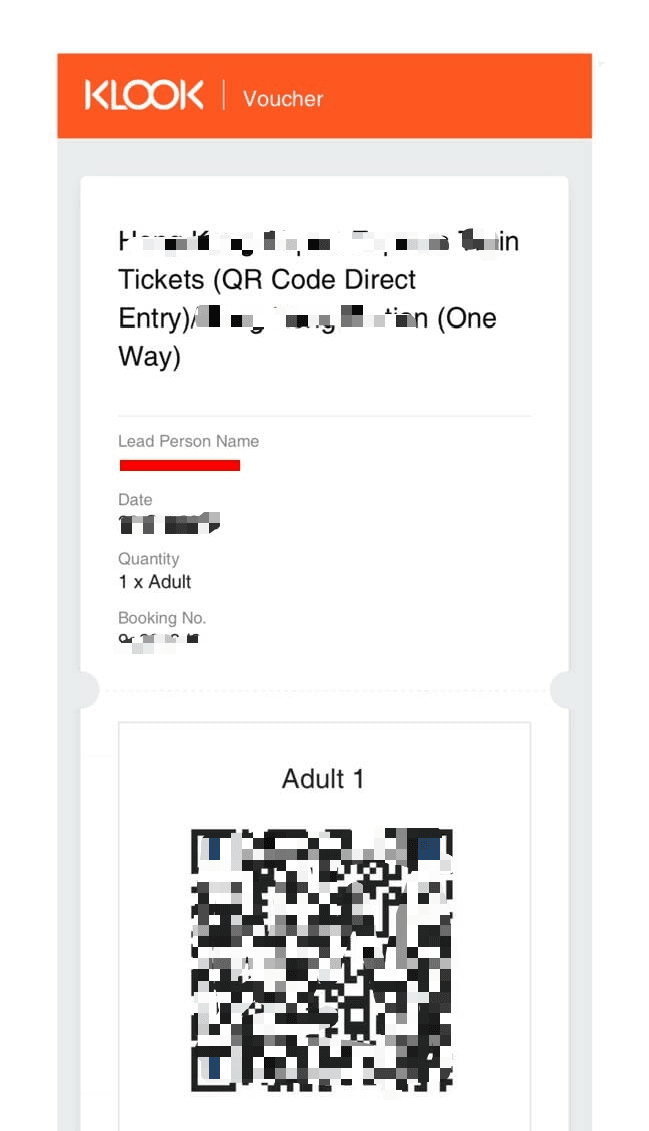
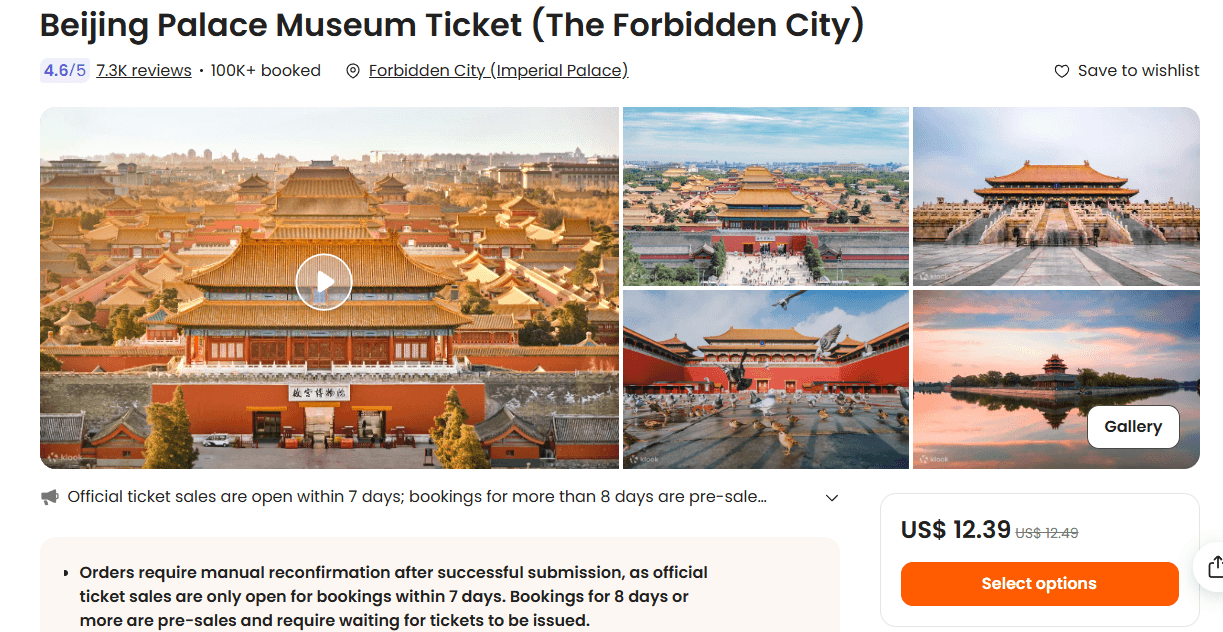
Bus tours (e.g. Mutianyu round-trip) bundle pickup point, departure time, and return in one voucher. Read the meeting-point line before payment—that is the field that saves you a missed bus.
Where both sell the same thing
Some products appear on both platforms—especially attraction tickets and airport activities. Rules of thumb:
- Compare cancellation policy, not just headline price.
- Pick the site you will actually use for the rest of the trip (one Trip.com account for trains + hotels simplifies support).
- Do not double-book the same dated ticket on both sites.
Trip.com also lists Things to Do—fine for browsing, but for gate-ready English vouchers on iconic timed tickets we still default to Klook unless Trip shows a clearly better slot or price for your date.
Sample 10-day workflow (Beijing + Shanghai)
| Step | Platform | Example |
|---|---|---|
| 1 | Trip.com | Flight into Beijing + hotel |
| 2 | Klook | Forbidden City date + Mutianyu bus |
| 3 | Trip.com | Beijing–Shanghai HSR |
| 4 | Trip.com | Shanghai hotel |
| 5 | Klook | Food tour or museum slot |
| 6 | Trip.com | Flight out + eSIM if needed |
Prep layer (neither OTA): VPN, Alipay, DiDi, eSIM before departure.
FAQ
- Klook or Trip.com for China overall?
- Both—split by category. Trip.com for transport and hotels; Klook for tickets and tours.
- Can I book everything on Trip.com only?
- Often yes for transport and hotels; timed attraction vouchers are still easier on Klook for many foreigners.
- Can I book trains on Klook?
- Possible but not our default. Use Trip.com for HSR unless you already know the Klook rail product you need.
- Is Klook cheaper than Trip.com for tickets?
- Sometimes. Compare total price and cancellation terms. A cheaper non-refundable Klook ticket is not a deal if your flight shifts.
- Which app do I show at the train station?
- Trip.com e-ticket / pickup code—not a Klook voucher.
- Which app do I show at the Forbidden City?
- Klook mobile voucher (or another ticket vendor)—not your hotel PDF.
Related: Is Klook legit? · Book Your Trip · Trip.com trains · Forbidden City tickets
Some links on this page are commercial partner links (including Trip.com and Klook). Full policy: Affiliate disclosure.