China Travel 2026: First Hour App Setup (VPN, Alipay, DiDi & eSIM Guide)
China Travel 2026: First Hour App Setup is a digital-first experience, and your first hour after landing determines everything. Landing in China in 2026 without a working VPN, payment app, and eSIM can leave you digitally stranded within minutes.
Without a pre-planned strategy, you are immediately blocked from Gmail, WhatsApp, and Google Maps—a harsh introduction to China’s internet ecosystem. This guide is your tactical manual for the critical sixty minutes between the tarmac and the taxi curb at major hubs like Shanghai Pudong International Airport (PVG) or Beijing Capital International Airport (PEK).
Mandatory Disclaimer: Visa-free entry lists and transit policies continue to expand in 2026, but eligibility varies by nationality. Policy details may change without notice. Always verify with your embassy before departure. For specific rules, read our China 240-Hour Visa-Free Transit Policy – Updated 2026 Guide.
Essential Apps for Your First Hour in China (2026)
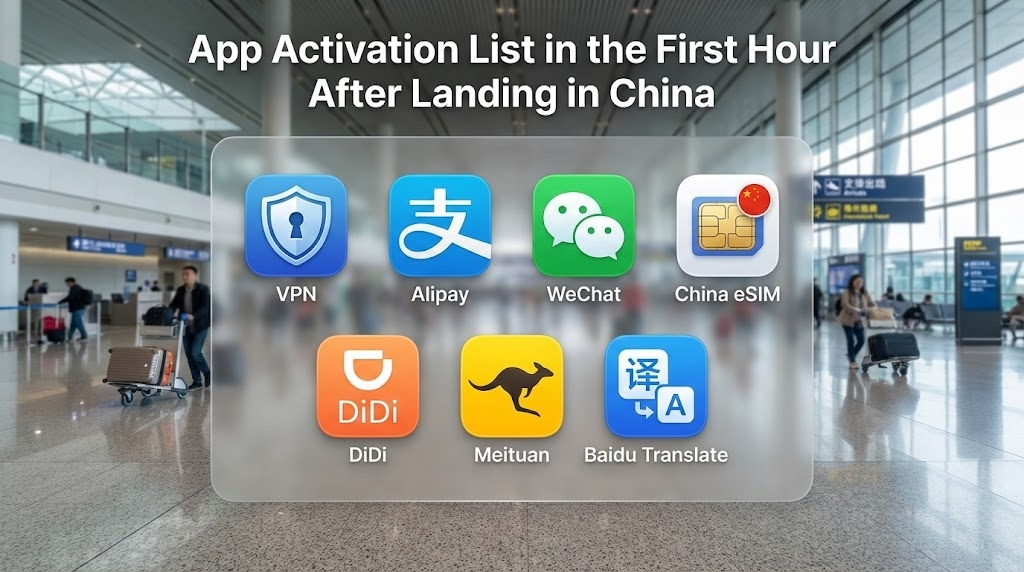
To survive the arrival logistics, you must have these five core tools active before leaving the airport:
- VPN: Access Gmail, WhatsApp, Instagram, and other blocked apps.
- Alipay / WeChat Pay: Pay for goods, subway tickets, and services immediately.
- China eSIM: Get instant mobile data without relying on unstable airport Wi-Fi.
- DiDi: Book ride-hailing services with an English interface.
- Amap / Apple Maps: Navigate accurately inside China with local data sources.
- Meituan is essentially the “Swiss Army Knife” of daily life in China. If you’re feeling lazy at your hotel or looking for the best hidden-gem dumplings nearby, this is the app you’ll use.
- Baidu Translate tends to handle local Chinese dialects and technical signage slightly more accurately than some Western alternatives within the mainland.
The Cost of Unpreparedness: Real Scenarios
Before we start the setup, understand why the “first hour” is critical. If you attempt to “wing it” upon arrival, here is the reality of what happens in 2026:
- The ATM Reject: Airport ATMs frequently reject foreign debit cards due to network timeouts.
- The Payment Freeze: Your first mobile transaction fails because your home bank suspects fraud.
- The Taxi Refusal: Drivers refuse cash because they have no change, and they cannot take Visa/Mastercard directly.
- The Map Blackout: Google Maps loads but shows the wrong GPS location, leaving you lost in the terminal.
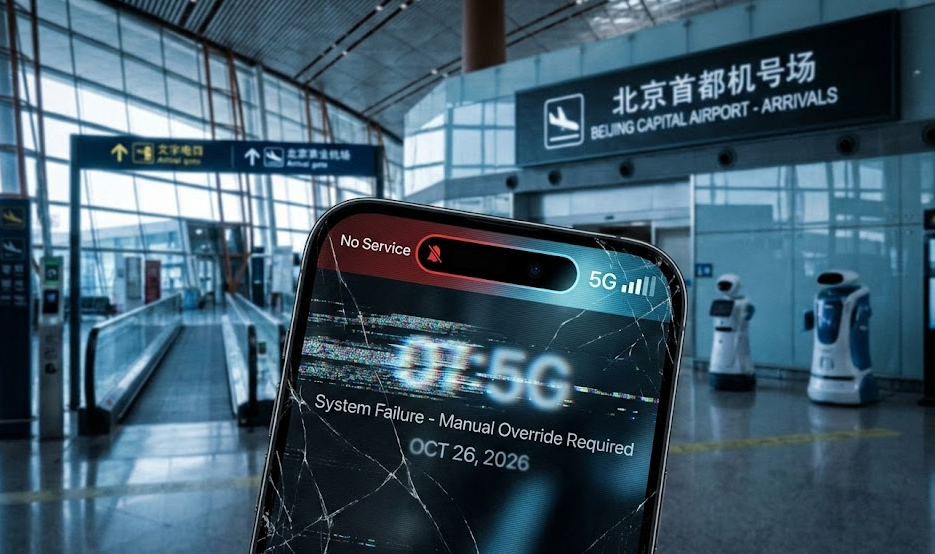
Phase 1: Tarmac to Gate — China Digital Survival App Setup
Your first hour is a race against the battery clock and the chaos of arrival. First-hour app setup for China 2026 is essential to bypass the internet filtering system before you even reach immigration. Do not wait until you are through customs to sort out your internet.
Step 1: The Connection Handshake
Before you even retrieve your carry-on from the overhead bin, disable Airplane Mode. If you followed pre-departure protocols, your phone should attempt to latch onto a local network (usually China Mobile or China Unicom).
- The Roaming Trap: Many travelers assume their home carrier’s “International Pass” will work instantly. In 2026, while roaming technically works, it is often throttled and suffers from high latency. It is a backup, not a solution.
- The eSIM Solution: Switch your primary data line to the travel eSIM you installed before departure. This bypasses the physical SIM slot hassle and connects faster.
Get China eSIM Now → (Use airport Wi-Fi only as a last resort if you forgot to buy this beforehand.)
Step 2: Ignore the “Free Airport Wi-Fi”
Do not waste time trying to connect to the public airport network. This is a classic rookie mistake. To access public Wi-Fi in China, you are almost always required to input a mobile phone number to receive an SMS verification code.
Since you likely do not have a Chinese SIM card yet, and international SMS delivery to foreign numbers via these portals is notoriously unreliable (often blocked by spam filters), you will end up staring at a loading screen while the immigration line gets longer. Trust your eSIM data; ignore the Wi-Fi.
Step 3: The Pulse Check
Once you see “4G” or “5G” in your status bar, test your connectivity.
- Critical Battery Check: Before you launch your VPN (which drains power heavily), ensure you have at least 40% battery or plug into your power bank now. A dead phone at immigration means no return ticket proof and no hotel confirmation.
- The Test: Do not open Chinese apps yet. Open a blocked app—like Google or Instagram—to see if your data is flowing freely. If these apps load, your eSIM is routing traffic correctly. If they fail, proceed to Phase 2 immediately to activate VPN countermeasures.
Phase 2: Immigration Queue — VPN & Payment Activation in China 2026
The immigration hall is not just a waiting area; it is your temporary office. While you inch forward in the zigzagging line, you have a crucial 30 to 60-minute window to ensure your financial and digital security tunnels are operational.
Local travelers in China often recommend using airport waiting time to preload transport apps and maps, rather than browsing social media. The first hour determines whether your arrival feels smooth or chaotic.
Step 1: The Tunnel Test
If your eSIM is not routing through a proxy location like Hong Kong (which automatically unblocks Western apps), you need a manual VPN override immediately. China’s network filtering system in 2026 continues to block most Western platforms without a specific proxy protocol.
- Action: Launch your VPN app now. If it hangs on “Connecting,” switch the protocol settings to “Stealth,” “Camouflage,” or “WireGuard.”
Step 2: The Wallet “Heartbeat”
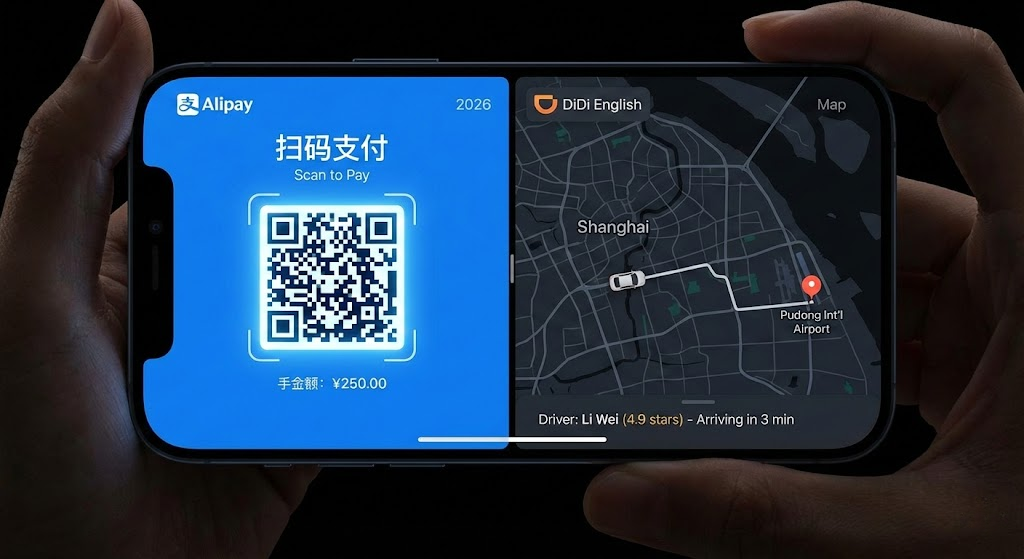
This is the single most critical step in your App Activation List. Without Alipay or WeChat Pay, you are functionally bankrupt in China. Cash is legally accepted but socially obsolete; vendors often do not have change for a 100 RMB note.
- Open Alipay/WeChat Pay: Ensure your international Visa or Mastercard is still “bound.” Sometimes, security updates unbind cards during long periods of inactivity.
- The “Risk Control” Trigger: This is the trap. The apps often detect a sudden location change, triggering “Risk Control,” which is a security verification step that blocks foreign logins or payments.
- The Fix: Open your banking app (while your VPN is working) and authorize travel to China if you haven’t already.
- The Test: You cannot easily test a payment in the queue, but you can generate your payment QR code. If the app allows you to display the “Pay” code without popping up a “Verify Identity” error, you are 90% clear.
- Troubleshooting: How to Use Alipay in China (2026): Foreign Tourist Guide.
Phase 3: Baggage Claim — Transport & Map Setup for China Travel 2026
By the time you reach the baggage belt, you should have a green “Entry” stamp in your passport and a working phone. Now, you need to figure out where you are going.
Step 1: The Navigation Pivot
Stop using Google Maps. Even with a VPN, the map data for China is outdated and usually shows your location 500 meters away from where you actually are due to map data regulations.
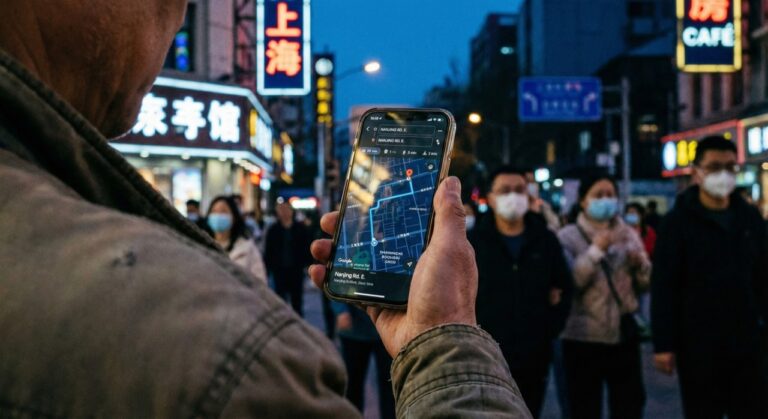
- The Tool: Use Apple Maps (if you have an iPhone, as it sources data from AutoNavi) or download Amap (Gaode Ditu).
- The Address Hack: You do not need to read Chinese to use Amap. Open your hotel confirmation—Find hotels on Trip.com if you haven’t saved it—and copy the Chinese address characters.
- Action: Paste the Chinese address into the map app now. “Star” or “Favorite” the location. You will need to show this screen to a driver if your DiDi fails.
Step 2: The DiDi Setup
Do not stand in the “Taxi” queue unless you enjoy waiting 45 minutes for a driver who might refuse to use the meter. Ride-hailing is faster, cheaper, and accountable.
- Open DiDi: Ensure the interface is in English.
- Link Payments: Go to the sidebar > Wallet. Select Alipay or WeChat Pay as the prioritized payment method. Do not select “Credit Card” directly within the app if you can avoid it. In reality, most travelers find that routing DiDi payments through Alipay has a significantly lower failure rate than linking foreign cards directly.
- Locate the Zone: Airports like PVG and PEK have designated “Ride Hailing Pickup Zones,” which are different from “Taxi” stands. Look for the signs while waiting for your bag.
- Insider Intelligence: Local travelers in China often recommend avoiding airport taxi queues during evening arrivals (18:00–21:00), when flight waves create 30–60 minute wait times. Ride-hailing pickup zones typically move faster because drivers rotate more quickly.
- Step-by-Step: How Foreigners Grab a Taxi in China: The 2026 Survival Guide.
Step 3: The Battery Reality Check
You have just spent an hour straining your phone’s antenna searching for 5G, running a VPN, and maximizing screen brightness. Your battery is likely down 20-30%.
- Warning: If your phone dies, your money and map die with it. Connect your power bank now. Do not wait until you are in the car.
Mistakes to Avoid in Your First Hour in China
Even experienced travelers make errors that lock them out of the digital ecosystem. Ensure you avoid these common traps:
- Relying on airport Wi-Fi: It often requires SMS verification you cannot receive.
- Linking DiDi directly to foreign credit cards: High failure rate; link it to Alipay instead.
- Testing payment with a high-value transaction: Start small (under 50 RMB) to avoid triggering fraud alerts.
- Not authorizing your bank before departure: A blocked card at the airport is a disaster.
- Forgetting to screenshot your hotel address: If your data fails, you need a bilingual picture for a manual taxi.
Risks & Warnings: The Digital Dead Ends
You have data, a map, and a ride. But the digital ecosystem relies heavily on app-based authentication and risk controls. A single security flag can lock you out of the apps you just set up.
The “WeChat Lockout”
WeChat’s security algorithms are paranoid. Logging in from a new device (your travel phone), on a new network, often triggers a “Suspicious Activity” block.
- The Symptom: You are asked for “Friend Verification” (a user with a 6+ month old account must verify you).
- The Fix: If you do not have a Chinese friend on standby, switch to Alipay. Alipay is generally more lenient with international cards. Do not rely solely on one ecosystem. Read more in our WeChat Pay for Foreigners 2026 Guide.
The “Fake Taxi” Scout
As you exit baggage claim, ignore men in uniforms asking “Taxi?”. These are touts who will charge 4x the metered rate. A legitimate taxi driver in China never leaves their car to solicit passengers. Stick to the DiDi app or the official taxi queue with metal barriers.

Conclusion
China Travel 2026 is now a digital-first experience. Completing this First Hour App Setup ensures you move through airports like a local, not a stranded tourist. If you complete this list, you are no longer a helpless visitor—you are a digitally capable traveler.
Your Digital Setup Order Before Departure:
- Get China eSIM Now → (Critical for immediate connection)
- Install Surfshark VPN Today → (Test this at home, not at the airport)
- Bind Card to Alipay → (Verify it with a small transaction)
- Download DiDi App → (Preload your hotel address)
Then:
- Find Hotels on Trip.com →
- Book High-Speed Rail Tickets →
- Confirm airport pickup if arriving after 22:00
For detailed booking tips, check out our How to Book Trains in China on Trip.com: The 2026 Insider Guide.
FAQ
-
Can I install these apps after I land in China?
It is extremely difficult. The Google Play Store is blocked, and the App Store is slow/region-locked without a VPN. Install everything before you fly. Check our Ultimate China Travel Packing List 2026 for a full checklist.
-
Does airport Wi-Fi work for foreigners in 2026?
Rarely. Most airport Wi-Fi kiosks require a Chinese mobile number to receive an SMS verification code. International numbers often never receive the text due to spam filters. Do not rely on it.
-
Why is my WeChat Pay saying “Risk Control” or failing?
This usually happens because your home bank flagged the transaction as fraudulent, or WeChat detects a sudden location change. Call your bank to authorize the card immediately.
-
Are all international cards supported on Alipay/WeChat Pay in 2026?
Support varies by issuing bank. While major Visa and Mastercard cards are generally accepted, high-value transactions may trigger additional verification. Always authorize your card for international travel before departure.
-
Do I need a Chinese phone number to use DiDi?
No. The international version of the DiDi app allows you to register with foreign mobile numbers. Drivers can contact you via the in-app chat, which auto-translates English to Chinese.
-
What if my VPN refuses to connect at the airport?
Airport networks often have stricter firewalls. Turn off Wi-Fi and use your 5G/4G data. If it still fails, switch your VPN protocol to “WireGuard” or “OpenVPN (TCP)” in the settings.
-
Can I use Apple Maps or Amap for navigation in China 2026?
Yes. Apple Maps sources local data from AutoNavi and works accurately inside mainland China without a VPN. It is often the best option for iPhone users who cannot read Chinese characters on Amap. For more map tips, see our Ultimate China Travel Packing List 2026.