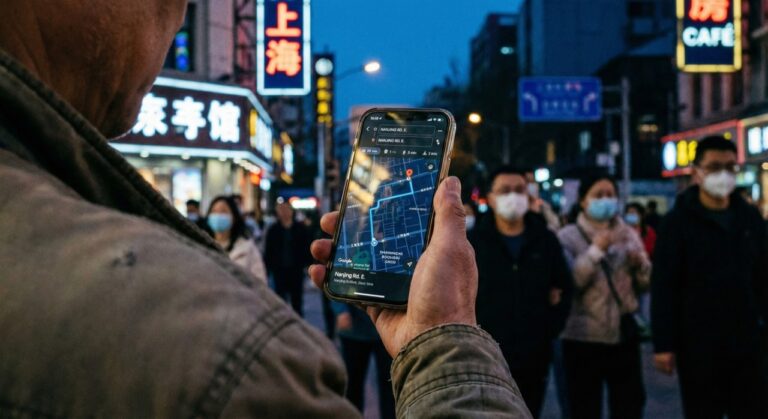
Ordering Food in China (2026): Master QR Menus & Meituan Delivery Guide
The Reality of Digital Dining
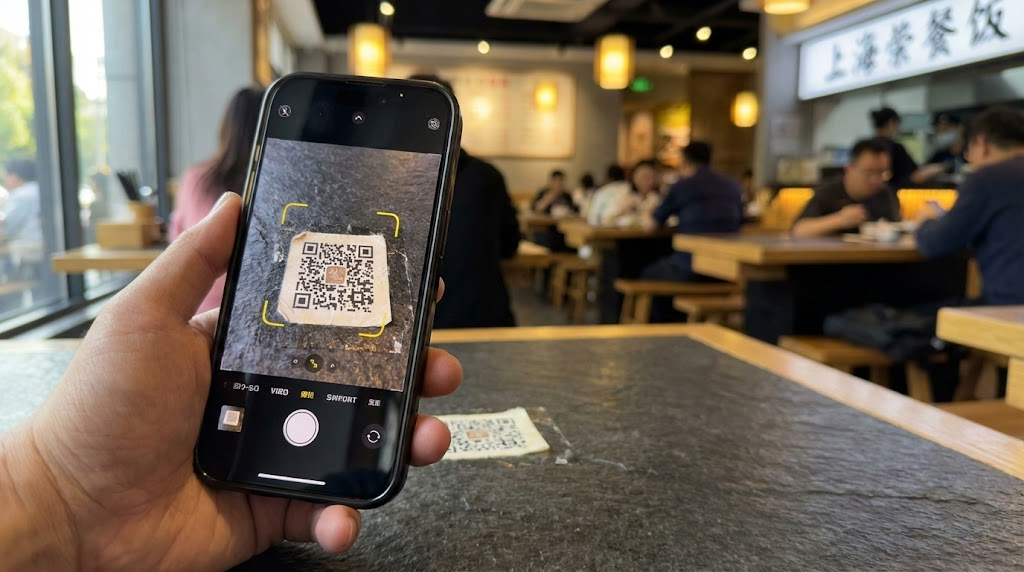
In Shanghai 2026, most mid-range restaurants require a QR scan to begin ordering food in China. Tip: Screenshot menus before sitting down; most restaurants do not provide paper copies. Missing this initial step can delay your order by 15 minutes while kitchen staff wait for an automated ticket that never arrived. In urban centers, digital mini-programs are the standard gateway to obtaining a meal, and traditional table service is largely automated. Local travelers often screenshot menus to translate categories immediately upon sitting to save time during the lunch rush.
3 Steps to Actually Get Your Food
Visitors find that following a specific sequence is required to ensure an order reaches the kitchen and does not get “ghosted” in the cart.
- Launch the Alipay Scanner: Open Alipay and tap the “Scan” icon. While WeChat is popular, the How to Use Alipay in China (2026) interface remains highly reliable for international cards. See our Step-by-Step Guide to Using WeChat Pay for Foreigners if you prefer that platform.
- Screenshot for Translation: Most mini-programs lack an English toggle. Action: Screenshot menu categories and use a translation app to find “Signature Dishes” (招牌) or “Staple Foods” (主食).
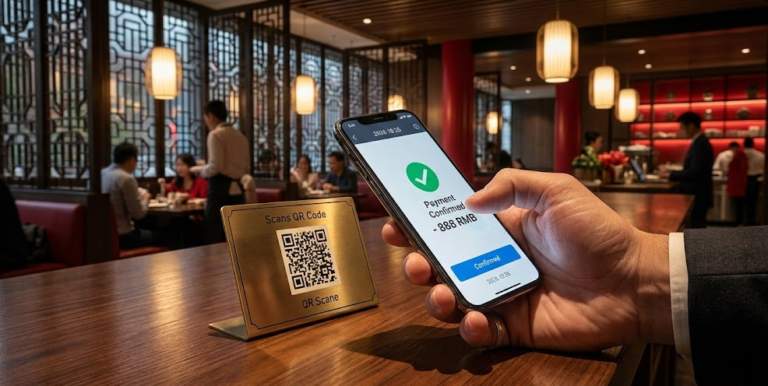
- Pay to Submit: Orders in 90% of casual spots are not processed until payment is confirmed. Tip: Ensure the payment page shows the “Success” (支付成功) sign and screenshot it immediately to show staff if the system lags. Be aware that some international cards have per-transaction limits; keep a backup payment method ready.
Troubleshooting: Why QR Code China Orders Fail
Follow this order of priority to resolve common failures before requesting manual help.
| Issue | Cause | Action | Quick Tip |
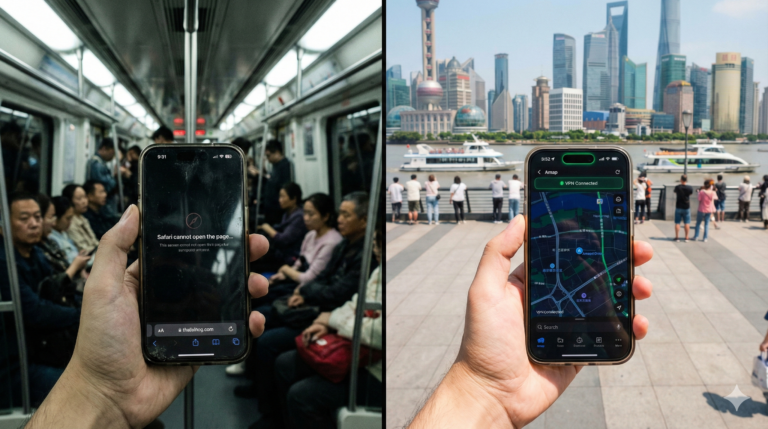
| Payment Fails | VPN or non-local connection. | Disable Surfshark and refresh the page. | Disable VPN before hitting pay. |
| Phone Number Wall | Mandatory membership wall. | Tap “Guest” or show the screen to a waiter. | “Wǒ méiyǒu shǒujī hào” (No phone number). |
| Menu Won’t Load | Signal dead zone. | Use China eSIM and move away from walls. | 5G is the standard. |
| Location Prompt | Geofencing security. | Tap “Allow” immediately to unlock the order button. | Enable location in settings. |
Meituan Delivery: A Step-by-Step Guide
Meituan delivery provides app tracking and hotel delivery, making it a reliable fallback if restaurant systems fail.
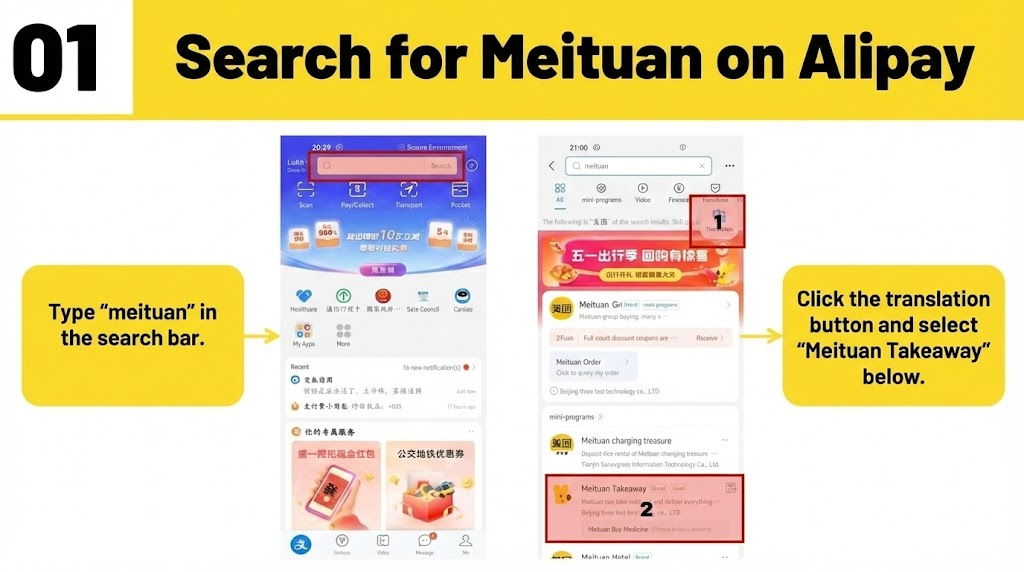
Step 1: Locate Meituan on Alipay
- Type “meituan” in the Alipay search bar and select the “Meituan Takeaway” mini-program.
- Action: Click the translation button in the app to assist with navigation.
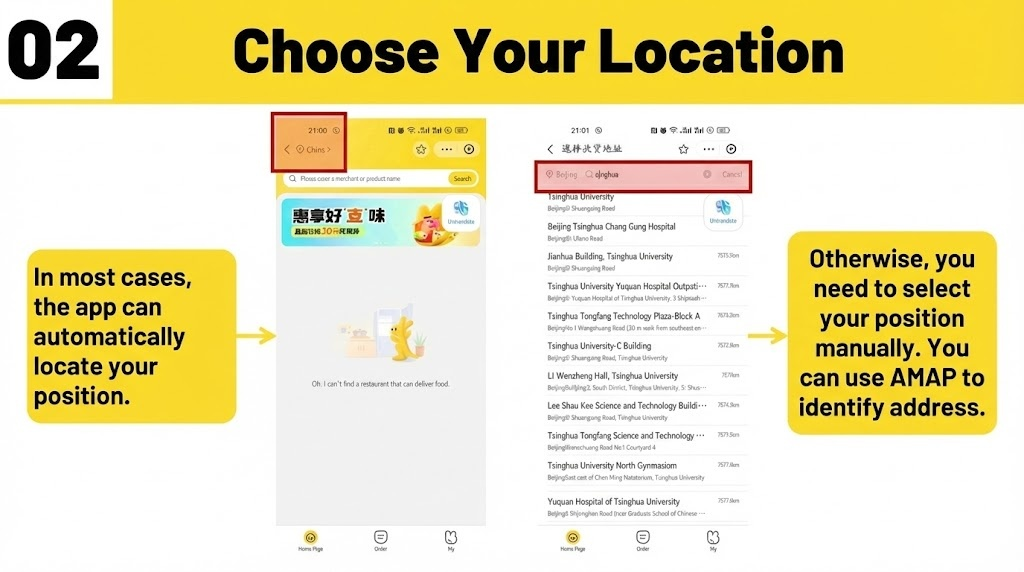
Step 2: Choose Your Location
- The app typically auto-locates your position.
- Tip: If it fails, search for your hotel address in Chinese manually using AMAP for accuracy.
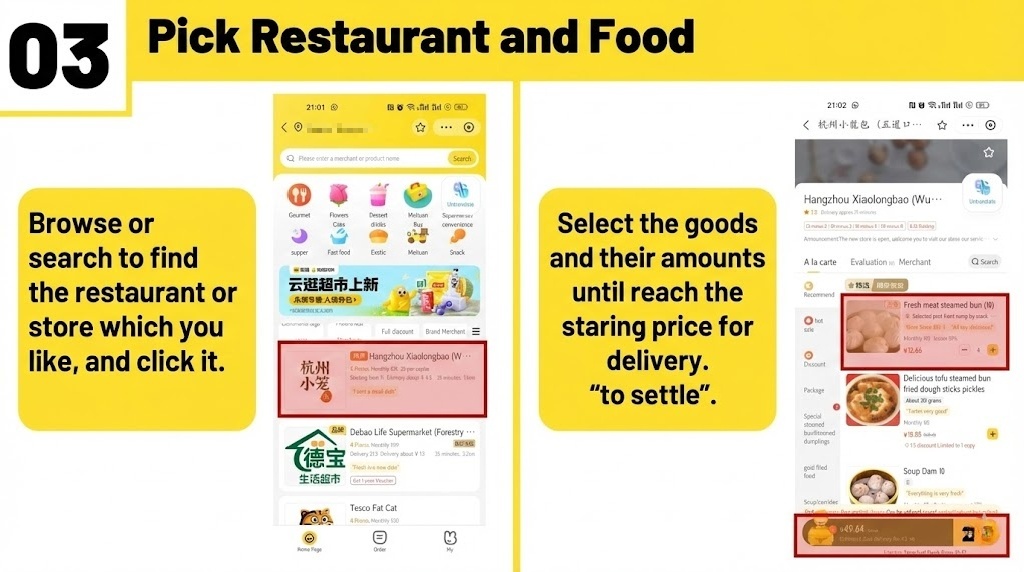
Step 3: Pick Restaurant and Food
- Search for “火锅” (Hotpot) or “奶茶” (Boba).
- Action: Select items until you reach the minimum delivery price, then click “to settle”.
- Tip: Check that the merchant has at least a 4-star rating and verify the total price before final payment.
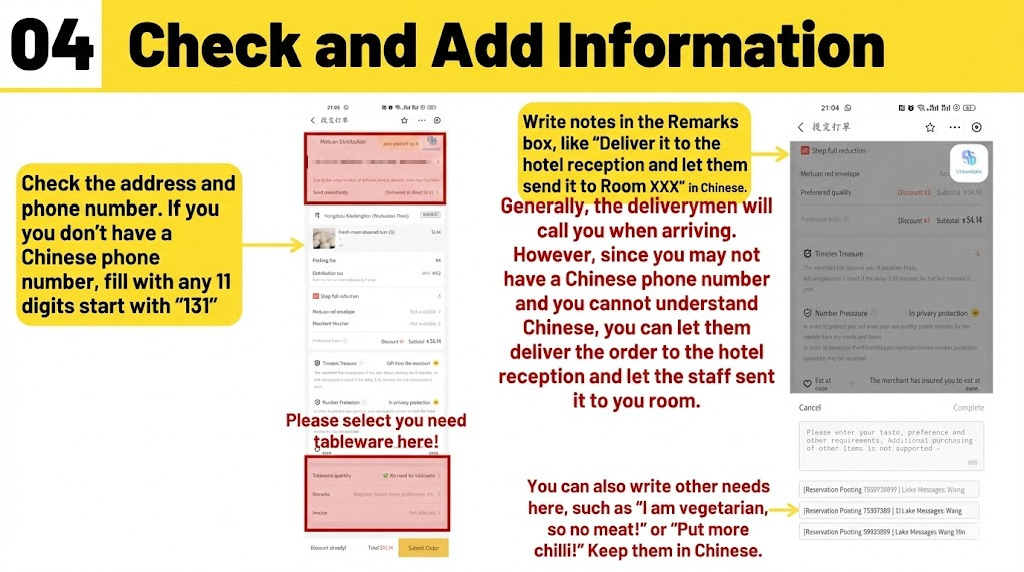
Step 4: Check and Add Information
- Double-check your Chinese address.
- Tip: If you lack a Chinese number, fill the phone field with an 11-digit placeholder starting with “131”.
- Action: Write notes like “Deliver to hotel reception” (请送到酒店前台) in the Remarks box in Chinese to avoid delivery misunderstandings.
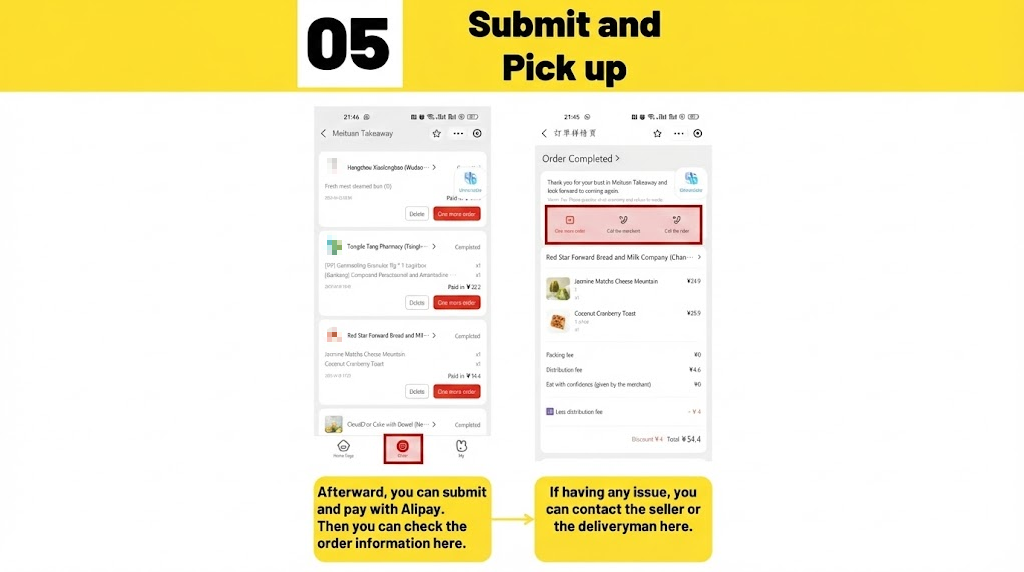
Step 5: Submit and Track
- Submit and pay via Alipay.
- Tip: Watch the rider zoom on the map and use in-app chat for extra items.
2026 Essentials Summary
| Service | Status | Recommendation |
| Payment | High Support | Link cards to Alipay or WeChat Pay. |
| VPN | Restricted | Use Surfshark but disable for local payments. |
| eSIM | 5G Standard | Install China eSIM before arrival. |
Insider Tip: High-end restaurants often bypass the QR system. Check ourChina Corporate Dining Etiquette 2026to avoid social mistakes at formal banquets.
Conclusion
Navigating the food scene in China is a matter of digital preparation. Confirm payment and eSIM setup before entering any restaurant.
Fast-Action Checklist:
- Download a translation app with screen overlay
- Install and test your China eSIM
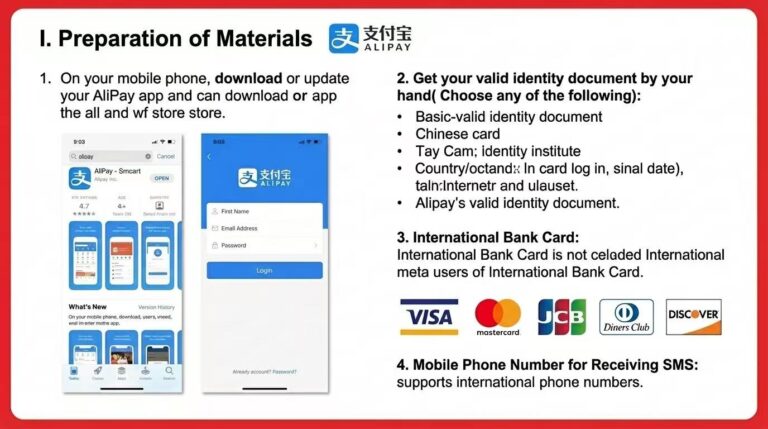
- Verify Alipay setup
- Scan QR code and screenshot for translation
FAQ Block
-
Why does my QR code order not reach the kitchen?
A: Most restaurants require digital pre-payment before they start cooking. Confirm the transaction in your app to ensure the ticket is generated.
-
Can I pay with international cards at small vendors?
A: Chains usually accept them through Alipay/WeChat. Small stalls may reject them; top up your Alipay balance or use cash as a backup.
-
Why does the app ask me for location permissions?
A: Mini-programs use geofencing to ensure you are physically at the table. Denying it may grey out the “Order” button; tap “Allow while using app”.
-
Can I use foreign SIMs or eSIMs in remote areas?
A: Large cities have 5G, but remote areas may have signal dead zones. Local insiders recommend China eSIM for consistent data.
-
Can I order for multiple tables?
A: Generally no. Each QR code is tied to a specific table number session. Groups at separate tables must scan and pay separately.
-
What to do if the QR code doesn’t work in peak hours?
A: Disable your VPN first. If it fails, wave down a server and show them the error; they can usually swipe a staff card for manual entry.
-
How do I handle a delivery rider calling me?
A: Use the in-app chat with the built-in translator. Instruct them to leave the food at the hotel reception (请送到酒店前台).
-
How long does Meituan delivery usually take?
A: Most city deliveries arrive within 30–45 minutes. Peak hours or heavy rain may extend this to 60 minutes.