Can Foreigners Use WeChat Pay in China? WeChat registration 2026
Trying to pay with WeChat at a Shanghai street stall in 2026? Without pre-linked cards, your first hour in China can turn into a frustrating ordeal (trust us, we’ve seen it happen at the Maglev ticket counter). The question of can foreigners use WeChat Pay in China has shifted from “is it possible” to “how do I pass the verification gate without losing my mind.” If you land without a verified account, you might find yourself unable to pay for a simple bottle of water or a Didi taxi at the airport. (If you are worried about transport, check our guide on How Foreigners Grab a Taxi in China: The 2026 Survival Guide).
Decision Context: Who Needs This?
We’ve seen too many travelers waste hours trying to “top up” a digital balance that they simply cannot access without a local bank account. This advice is strictly for short-term international travelers—tourists, business visitors, or family guests—entering China this year.
- Follow this if: You have a valid international credit card (Visa, Mastercard, or JCB) and want the convenience of paying exactly like a local.
- Ignore this if: You have a local Chinese bank account or if you are only visiting Hong Kong or Macau, where the ecosystem differs significantly.
For short-term visitors in 2026, pre-linking an international card ensures you can pay everywhere. However, if the registration hurdles seem too steep, the Alipay setup for foreigners remains a slightly more stable alternative.
Step 1: The Registration Protocol (2026 Update)
Before you even think about payments, you need an active account. Registration is often where the “Tower of Babel” feeling kicks in, but it is manageable if you follow these steps precisely.
- Download the App: Install the latest version of WeChat from your app store to avoid functional abnormalities.
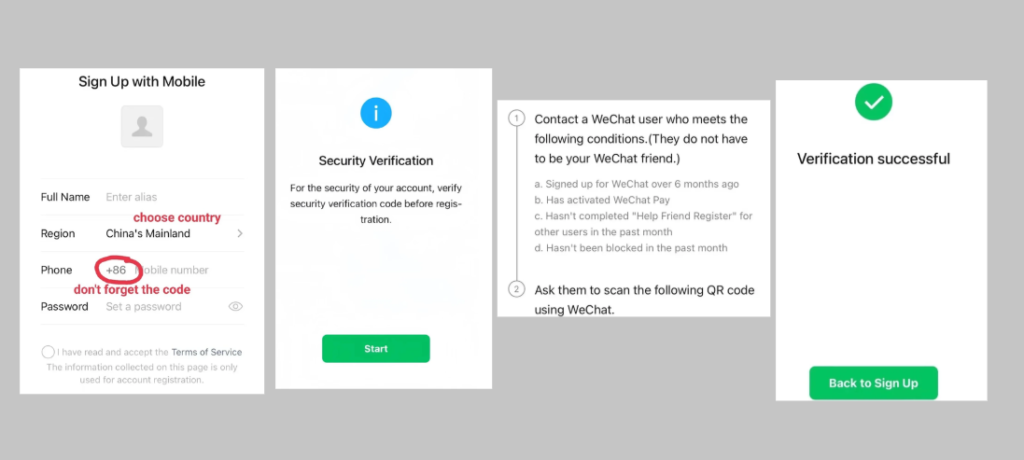
- Sign Up: Select Sign Up > Register with Phone Number. This is significantly simpler than using Facebook or Apple IDs, which usually require a phone verification anyway.
- Enter Details: Select your correct region/country code (e.g., +1, +44), enter your mobile number, set a password, and accept the service terms.
- Security Slider: Complete the puzzle slider within the time limit.
- The “Friend Scan” Hurdle: Some accounts require a current WeChat user (active for 6+ months) to scan a QR code for you. If you don’t have local friends, ask an enthusiastic netizen or a colleague. Note: This scan must be completed within 10 minutes.
- SMS Confirmation: Enter the 6-digit code received on your phone.
Step 2: Real-Name Authentication (The Mandatory Gate)
You can chat without this, but you cannot make payments. This step is a non-negotiable must.
- Operation Path: Me → Services → Wallet → ID Info.
- Missing Wallet? If you can’t see the entry, follow: Me → Settings → General → Features → WeChat Pay → Enable.
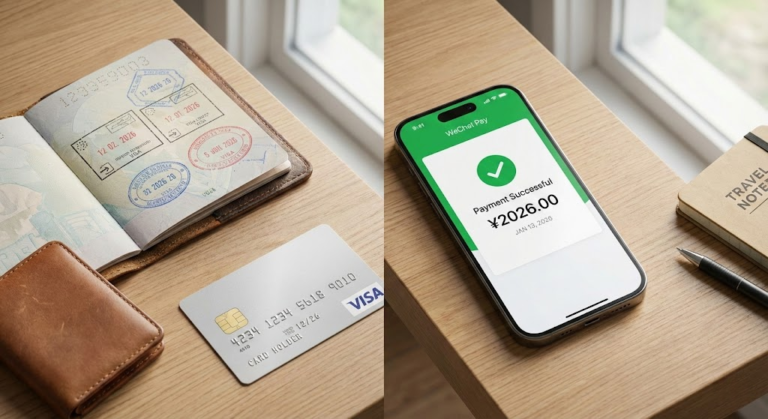
- Verification Tips: Select Passport as your document. Upload a clear, unobstructed photo. Most importantly, fill in your name exactly as it appears on your passport, including capitalization.
- Face Verification: Complete the face scan in a bright environment. Review typically takes 1–2 minutes; if it fails, re-upload and try again.
Step 3: Binding Your International Card
Once verified, you need to link your funding source. WeChat Pay currently supports Visa, Mastercard, and JCB.
- Operation Path: Wallet → Bank Cards → Add Bank Card.
- Important Note: Contact your card issuer before you leave to activate 3-D Secure and cross-border online shopping functions. Without these, the binding will fail.
- Address Logic: The billing address you enter in WeChat must match the domestic address reserved by your issuing bank.
For a detailed walkthrough, refer to our WeChat Pay for Foreigners 2026: The Ultimate Step-by-Step Setup Guide.
The 2026 Fee & Limit Reality
What surprises first-time visitors is the tiered fee structure.
- Transactions ≤ 200 RMB: No service fee.
- Transactions > 200 RMB: A 3% service fee is charged.
- Annual Limit: Cumulative transactions are capped at $50,000 USD per year.
- Single Transaction Limit: Capped at $5,000 USD.
Seasoned Operator Tip: Small everyday payments like ordering food via QR codes stay under 200 RMB, but luxury items incur that 3% fee. For expensive dinners or high-end shopping, ask to use your physical card to save on fees.
For a complete guide on dining out, read Ordering Food in China (2026): Master QR Menus & Meituan Delivery Guide.
Risks, Mistakes & Warnings
- The “Balance” Trap: You cannot “top up” your WeChat balance with an international card. Your balance will stay at 0.00 while the app pulls funds directly from your linked card. You also cannot send “Red Envelopes” or transfer money to friends.
- Merchant vs. Personal Codes: International cards only work with business-registered merchants. If a small vendor uses a personal QR code (very common in rural areas), the payment will likely fail.
- Connectivity Failure: If you can’t receive the SMS code, check your country code and toggle between Wi-Fi and mobile data. We recommend using a China eSIM to ensure your data connection is stable enough for these security checks.
2026 Policy & Reality Check
- Visa-Free Entry: The 2026 30-day visa-free policy has increased user volume, occasionally slowing down verification servers.
- E-Wallet Compatibility: If you have AlipayHK, WeChat Pay HK, or Kakao Pay, you can often scan-to-pay directly in mainland China without binding a new card.
- VPN Accessibility: Understand the legal nuances of VPNs in China before you land. Using a VPN during a payment can sometimes trigger a fraud alert.
| Service Category | Action | Context |
| Trains | Book Trains on Trip.com | Avoids the complex 12306 registration. |
| Network | China eSIM | Keeps your payment apps connected. |
| Privacy | Surfshark VPN Deal | Needed for accessing home apps (Gmail, etc.). |
Based on questions travelers frequently ask us…
-
Can I use WeChat Pay for the subway?
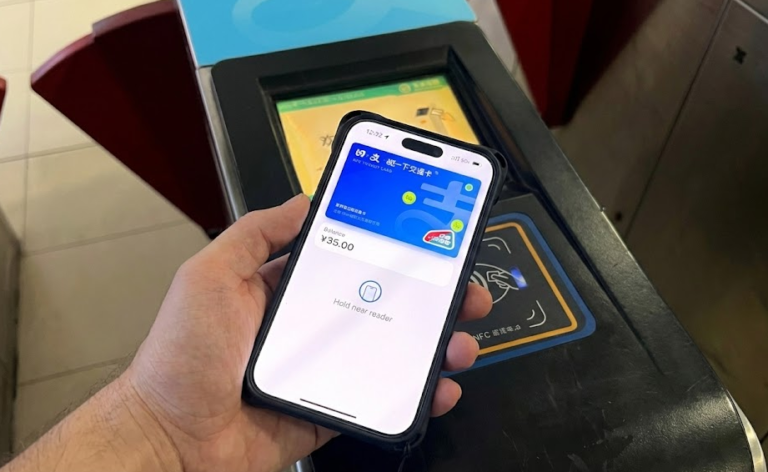
Yes. Use the “Transport” mini-program within WeChat. It’s much faster than buying tickets at machines that may not accept your foreign card.
-
Do I need a Chinese phone number?
No, but your foreign number must be able to receive SMS. If you lose access to this number, account recovery is notoriously difficult.
-
Can I send money to a Chinese friend?
No. International card users are restricted to merchant payments only. If you need to “split the bill,” your friend will have to pay and you can buy them a coffee later.
-
Why was my transaction declined?
Check if your card balance is sufficient and if your bank has flagged the transaction as “suspicious.” Some merchants only support RMB settlement.
Conclusion
Setting up WeChat Pay is no longer an optional “extra” for a China trip; it is a fundamental survival tool. For those visiting in 2026 under the new visa-free rules, the convenience is unmatched, provided you handle the passport verification before you leave home to avoid being locked out of the digital economy on day one.
Complete your WeChat Pay verification at least 48 hours before departure to ensure seamless payments on arrival. If you are ready to secure your transport and connectivity, we recommend booking your trains and grabbing an eSIM now.