How to Activate eSIM for China on iPhone: The 2026 Step-by-Step Guide
You have landed in Beijing, but your phone says “No Service.” This is the nightmare scenario. If you are an Apple user, the solution is simple, but the execution requires precision. Learning how to activate eSIM for China on iPhone isn’t just about scanning a QR code—it is about configuring your settings to bypass the Great Firewall automatically.
In this China eSIM guide for travelers, we strip away the technical jargon and give you the exact “survival protocol” to ensure your internet works the moment the plane wheels touch the tarmac.
Phase 1: Hardware Compatibility Check (Crucial)
Before you purchase any data plan, you must verify your hardware. We see countless travelers fail here because they assume all iPhones are identical. They are not.
Does Your iPhone Support eSIM for China?
Use this table to verify your specific model before you fly.
| iPhone Model Series | US / Europe / Global | China Mainland / HK / Macau |
| iPhone 16 / 15 / 14 Series | ✅ Supports eSIM | ❌ No eSIM (Dual Physical SIM) |
| iPhone 13 / 12 Series | ✅ Supports eSIM | ❌ No eSIM (Dual Physical SIM) |
| iPhone XS / XR / SE | ✅ Supports eSIM | ❌ No eSIM (Dual Physical SIM) |
| Carrier Lock Status | Must show “No SIM Restrictions” | N/A |
⚠️ The “China” Trap: If you bought your iPhone in mainland China, Hong Kong, or Macau, it likely has two physical SIM slots and zero eSIM capability. Check your Settings > General > About > Model Number to be sure.
Phase 2: Choosing the Right eSIM (Comparison)
You generally have two choices: a Local eSIM or a Roaming eSIM. For 99% of tourists, the choice is obvious.
| Feature | 🏆 Roaming eSIM (Our Pick) | Local Chinese eSIM |
| Firewall Status | Bypassed (Google/IG work) | Blocked (Needs VPN) |
| Setup | Scan & Go (Instant) | Requires Passport Registration |
| IP Address | Hong Kong / Singapore | Mainland China |
| Best For | Tourists & Business Travelers | Expats living in China |
We strictly recommend the roaming option to access Western apps without fiddling with a VPN.
- Top Pick: Get China eSIM
- Why: It routes data via Hong Kong, giving you unrestricted internet access immediately.
- [🟢 Check eSIM Prices for Your Dates]
Phase 3: Step-by-Step Activation Guide (Pre-Departure)
Do not rely on airport Wi-Fi. It is slow, requires SMS verification (which you won’t have), and is often blocked. Activate iPhone eSIM in China steps should begin while you are still in your home country.
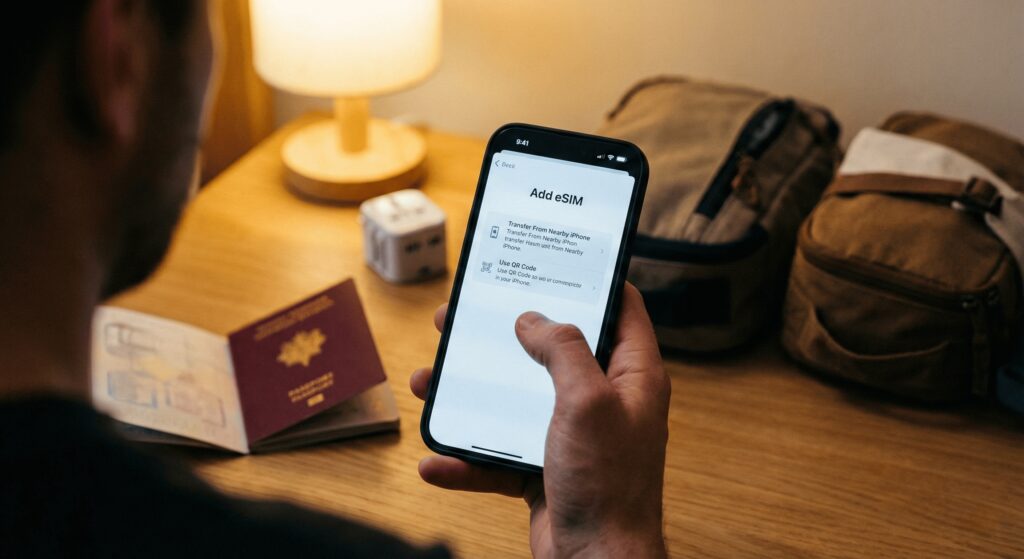
Step 1: Scanning the QR Code
- Open your email to find the QR code from your provider.
- On your iPhone, go to Settings > Cellular (or Mobile Service).
- Tap Add eSIM.
- Select Use QR Code and scan.
Step 2: Labeling for Clarity
Your iPhone will ask you to label this new plan.
- Select Custom Label and type “China Travel”.
- Insider Tip: This prevents you from accidentally using your home number and incurring massive roaming fees (often $10/MB).
Phase 4: Arrival Configuration (The “Land & Connect” Protocol)
This is where most people get stuck. Your iPhone eSIM not working in China is usually due to one missing setting: Data Roaming.
The “Tarmac” Routine
Perform this sequence strictly after you land:
- Switch Data Source: Go to Settings > Cellular > Cellular Data. Select “China Travel”.
- Turn Off Switching: Disable “Allow Cellular Data Switching” to avoid accidental home carrier charges.
- Enable Roaming (CRITICAL):
- Tap your “China Travel” line.
- Toggle Data Roaming to ON.
- Why? Since your eSIM is likely a Hong Kong number roaming in Mainland China, it requires roaming to be active to function.
Troubleshooting: iPhone eSIM Not Working in China?
If you have “No Service” or slow speeds, try these field-tested fixes.
❓ “No Service” or Searching?
- Airplane Mode Cycle: Toggle Airplane mode ON for 10 seconds, then OFF. This forces a tower handshake.
- Manual Network Selection: Go to Selection, turn off “Automatic,” and manually select China Unicom or China Mobile.
❓ Connected but No Internet?
- Check APN: Check your confirmation email. If the APN (Access Point Name) isn’t auto-filled, enter it manually (e.g., “3gnet” or “ctm-mobile”).
- Restart: It sounds cliché, but a full reboot often clears the cache.
❓ Can’t Access Instagram?
- If you bought a Local eSIM by mistake, you are behind the firewall. You must install a VPN immediately.
- Read Guide: [Internal Link: Best VPNs for China 2026]
- Quick Fix: Surfshark Deal
Data Saving Tips for Travelers
Data in China is fast but can be finite.
- Turn off iCloud Backup: Settings > Apple ID > iCloud > iCloud Backup > Off over Cellular. You don’t want to upload 5GB of photos on your travel data plan.
- Download Offline Maps: Since Google Maps is unreliable, download offline areas on Apple Maps or Amap.
- Read Guide: [Internal Link: Top Must-Have Apps for China Travel]
Why Connectivity is Non-Negotiable
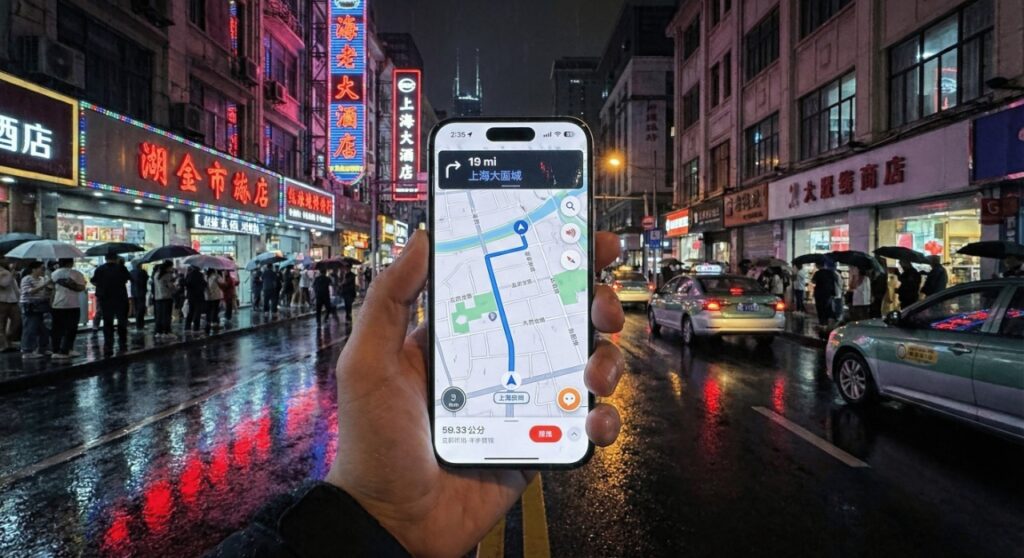
Once you successfully activate eSIM for China on iPhone, your device becomes your wallet and ticket.
- Payment: You cannot use cash in most places. You need data to set up Alipay.
- Read Guide: [Internal Link: How to Set Up Alipay & WeChat Pay for Foreigners]
- Transport: Retrieve e-tickets instantly. Book High-Speed Trains.
- Accommodation: Show hotel bookings in Chinese. Find Hotels on Trip.com.
ChecklistHardware:
- Confirm your iPhone is not a “China Model” and is unlocked.
- Purchase: Buy Get China eSIM before flight.Install:
- Scan QR code at home.Arrive: Turn on Data Roaming specifically for the eSIM line.
[ Get Your China eSIM Now]
-
How do I activate an eSIM for China on an iPhone?
Open Settings → Cellular (Mobile Data) → Add eSIM or Add Cellular Plan, then scan the QR code provided by your eSIM provider or enter the activation code manually. Make sure your iPhone is connected to the internet during activation.
-
Which iPhone models support eSIM for use in China?
Most recent iPhone models from iPhone XS and newer support eSIM. However, actual usability in China depends on carrier support and whether the device is unlocked.
-
Can I install and activate the eSIM before arriving in China?
Yes, many travel eSIMs can be installed before departure. In some cases, the plan will only start working after arrival in China when the device connects to a supported network.
-
Does my iPhone need to be unlocked to use a China eSIM?
In most situations, using an international or Chinese eSIM requires that your iPhone is carrier-unlocked. Locked devices may fail to register on local networks.
-
Will I get a Chinese phone number when I activate an eSIM?
Most travel eSIMs for China provide data-only service and do not include a local Chinese phone number. To obtain a local number, you typically need to purchase a local carrier plan that requires real-name verification.